
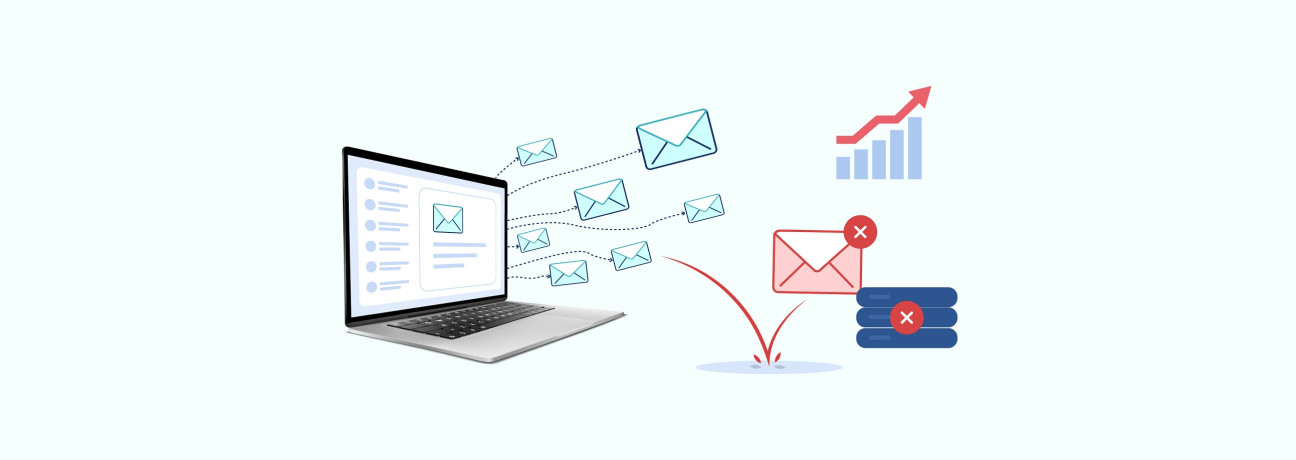
For marketers who send bulk email campaigns, an increasing bounce rate can raise concerns about email deliverability. A high percentage of undelivered emails may indicate issues with your email list and affect the performance of future campaigns.
But a high bounce rate doesn't always mean you should stop sending immediately. The size of the spike, the type of bounces, and the quality of your list all matter.
So when should you pause a bulk email campaign, and what should you do before sending again? This guide looks at the warning signs, what to review while your campaign is paused, and how cleaning and verifying your list can help you get your next campaign back on track.
What Is a High Email Bounce Rate?
A high email bounce rate means that a significant percentage of the emails you sent could not be delivered to the recipient’s inbox. What qualifies as "high" often depends on your typical campaign performance, list quality, and sending practices.
As a general benchmark, keeping your overall bounce rate below 2% and your hard-bounce rate below 0.5% represents a healthy target. Exceeding that 2% threshold or seeing a sudden spike compared to your past campaign results signals that your email list needs immediate review.
To understand how bounce rates are calculated, the different types of email bounces, and the SMTP codes behind delivery failures, check out our comprehensive guide on What Is Email Bounce and How Many Types Are There.
Reasons for a High Email Bounce Rate
A high bounce rate occurs when emails cannot be delivered to the recipient. Delivery failures generally fall into two categories:
- Hard Bounces: Permanent delivery failures, such as an invalid email address or a non-existent domain.
- Soft Bounces: Temporary delivery failures, such as a full inbox or a temporary issue with the receiving server.
Key Factors Contributing to Elevated Bounce Rates
- Outdated or Inactive Email Addresses: Job changes, account abandonment, and business domain changes can make previously valid addresses inactive. Sending to older lists without regular maintenance can therefore increase the number of failed deliveries.
- Typos and Incorrect Addresses: A simple misspelling during signup, such as gnail.com, can make an address undeliverable. Formatting or data-entry errors during CSV imports can create similar problems.
- Poor-Quality or Purchased Lists: Purchased and web-scraped lists can contain inaccurate, outdated, or unverified addresses. Mailgun’s research found that 9.4% of senders had obtained email addresses through purchased contact lists or website collection during the previous two years.
- Infrequent List Hygiene: Even permission-based lists require regular maintenance. Addresses can become invalid after they are collected, and failing to review the list regularly can increase the number of undeliverable addresses. MailMend reports that 39% of senders rarely or never conduct email list hygiene, based on its 2025 email deliverability research.
- Authentication and Sending-Domain Problems: Not every delivery failure is caused by the recipient’s address. Incorrect SPF, DKIM, or DMARC configuration can cause receiving servers to reject messages. Sending through a third-party platform from a free webmail address, such as Gmail or Yahoo, can also create authentication issues.
The Impact of a High Bounce Rate on Your Email Campaigns
A high bounce rate affects more than the number of emails that fail to reach recipients. Repeated delivery failures can affect sender reputation, inbox placement, and the results of future campaigns.
- Sender Reputation Can Be Affected: Repeatedly sending emails to invalid or undeliverable addresses can indicate poor list quality to mailbox providers. Continued delivery problems can affect how your sending domain and IP address are evaluated.
- Valid Emails May Also Face Delivery Problems: When sender reputation is affected, mailbox providers may apply stricter filtering to future messages. This can make it more difficult for emails sent to valid subscribers to reach the inbox.
- Campaign Performance Can Decline: Every bounced email reduces the number of recipients who can open, click, respond, or convert. When a significant portion of a campaign is undelivered, fewer recipients are available to engage with the campaign.
- Continued Delivery Problems May Lead to Sending Restrictions: Persistent bounce issues can indicate broader deliverability problems. Depending on the provider and severity of the issue, an Email Service Provider (ESP) may restrict sending or require corrective action before normal sending can continue.
When to Pause a Bulk Email Campaign
A high bounce rate does not always mean you need to stop a campaign immediately. What matters is how high the rate is, whether it is increasing, and what type of bounces you are seeing. Consider pausing a bulk campaign when:
- The bounce rate rises significantly above your normal level. A sudden spike deserves attention, particularly when it is much higher than your usual campaign results.
- The bounce rate stays above the acceptable range. As a general benchmark, a bounce rate above 2% is a reason to review your list and sending practices before continuing.
- Hard bounces account for a high number of failures. A high number of permanent delivery failures is a reason to pause and review the affected addresses before sending again.
- Delivery drops unexpectedly. If fewer emails are reaching recipients than expected, pause the campaign and review the delivery data before sending to bulk contacts.
- Your emails are being blocked or rejected by receiving servers. This is a stronger warning that your sending activity needs to be investigated before the campaign continues.
What to Do After Pausing a Bulk Email Campaign
Once a bulk campaign is paused, use the pause to understand what caused the bounce rate to increase, clean the affected addresses, and make sure your list is ready before sending again.
1. Review the Bounce Data
Start by looking at the addresses that bounced and the type of delivery failure recorded.
- Separate hard and soft bounces: Hard bounces are permanent delivery failures, while soft bounces are usually temporary.
- Identify patterns: Check whether the failures are concentrated among certain addresses, domains, or parts of your list.
- Review bounce responses: The response from the receiving server can help explain why an email was not delivered.
2. Clean Your Email List
Review your email list to identify invalid, outdated, or undeliverable addresses before sending again. For larger lists, an email verification tool can help you identify addresses that need to be removed.
- Remove hard-bounced addresses: Permanently undeliverable addresses should not be included in future sends.
- Remove outdated or incorrect addresses: Review contacts that are no longer active or contain errors.
- Remove unsubscribes: Make sure contacts who have opted out are excluded from future campaigns.
3. Verify the Remaining Addresses
After identifying and handling addresses that have already been found to be undeliverable, verify the rest of the list to identify addresses that could still cause delivery problems.
- Verify the remaining list: Check whether the addresses are valid and likely to accept emails.
- Review the results: Pay attention to addresses that are invalid or require further review.
- Use the verified list for your next campaign: This gives you a cleaner starting point when sending again.
4. Review Your Sending Setup
Before resuming your campaign, check whether anything outside the contact list could have contributed to the bounce rate.
- Check domain authentication: Make sure your SPF, DKIM, and DMARC records are correctly configured for your sending domain.
- Review the campaign setup: Check the sender details, links, personalization, and other campaign elements before sending.
- Compare your updated list with previous results: Confirm that the addresses responsible for permanent failures have been removed before you resume sending.
Getting Your Campaign Ready to Send Again
Pausing a campaign gives you time to address the issues behind the bounce spike. Before resuming your regular sending volume, use the first send to confirm that the changes you made have improved delivery.
- Start with your most reliable contacts: Begin with contacts who have recently opened or clicked your emails rather than sending to the entire list. This provides an early indication of whether delivery performance has improved.
- Monitor the initial bounce rate closely: Track delivery results from the first batch and compare them with your previous campaign performance. A return to your usual bounce-rate range is a positive sign. If the rate remains unusually high, pause further sending and investigate the cause.
- Increase sending volume gradually: Use the results from the initial send to determine whether you are ready to expand the campaign. If delivery performance remains stable, gradually return to your normal sending volume rather than resuming the full list at once.
Keeping Bounce Rates Under Control
Preventing another bounce-rate spike is easier when list hygiene is part of your regular email process rather than something you address only after a campaign fails.
- Build clean collection habits: Use clear signup and opt-in methods when collecting email addresses. Avoid purchased or scraped lists, as they can contain inaccurate, outdated, or unverified contacts.
- Catch invalid emails at signup: Checking addresses when they are submitted can help prevent typos and invalid addresses from entering your database. Adding real-time email validation to your signup forms provides an additional check at the point of collection.
- Maintain your database regularly: Email addresses can become inactive after they are collected due to job changes, account closures, or other changes. Regularly reviewing your list helps identify addresses that are no longer valid or suitable for future campaigns.
- Verify before high-volume sends: Even a well-maintained list can contain addresses that have become invalid since the last review. Verifying your list before a major campaign helps identify potentially undeliverable addresses before they contribute to delivery failures.
How ExactVerify Helps Before You Send
For email list management, ExactVerify supports both existing contact lists and new addresses collected through your forms:
- Clean existing lists with bulk verification: Upload your contact list for bulk email verification to identify invalid, undeliverable, and potentially risky addresses before sending. Reviewing these addresses before a campaign helps reduce unnecessary delivery failures and prevents problematic contacts from being included in your sending list.
- Check new addresses with real-time validation: New email list can be added to your database after an existing list has been verified. ExactVerify's Real-Time Email Validation Widget checks addresses as they are submitted through your website forms, helping identify typos and invalid addresses before they are added to your database.
Frequently Asked Questions About Email Bounce Rates
1. What is considered a high email bounce rate?
An overall bounce rate above 2% is generally considered high for email marketing. If your permanent delivery failures (hard bounces) exceed 0.5%, mailbox providers like Gmail and Yahoo begin flagging your domain as risky, which directly damages your inbox placement.
2. At what bounce rate should I pause an email campaign?
You should pause your campaign immediately if your overall bounce rate crosses the 2% threshold or if hard bounces spike unexpectedly. Continuing to send through a sudden bounce spike can trigger spam filters, damage your sender score, or get your account suspended by your Email Service Provider (ESP).
3. Should I stop sending emails if my bounce rate suddenly increases?
Yes, you should temporarily pause your sending to investigate the root cause. A sudden spike usually indicates a poor-quality email list, a broken signup form, or domain authentication issues like misconfigured SPF or DKIM records.
4. Should I clean my email list before sending another bulk campaign?
Yes. Cleaning your database before another bulk campaign can help identify invalid, outdated, and undeliverable addresses before they contribute to delivery failures. Email Verification Tool provides an additional check for addresses that should be reviewed before sending, helping you reduce unnecessary bounces and improve list quality.
5. How can I safely restart a bulk email campaign after a high bounce rate?
First, remove addresses that have resulted in hard bounces and verify your remaining contacts. When you resume sending, start with a smaller group of your most engaged subscribers rather than your entire list. Monitor the initial bounce rate and delivery results before gradually increasing your sending volume.
6. Can an email verification tool prevent high bounce rates?
Yes. An email verification tool identifies invalid, undeliverable, and incorrectly formatted addresses before sending, helping reduce avoidable hard bounces. Bulk email verification helps review existing lists, while real-time validation helps catch invalid addresses during signup before they are added to your database.
7. Can catch-all and risky email addresses increase bounce rates?
Yes. Catch-all servers accept mail for any username at a domain, so an address may look valid at first but bounce later when processed internally. Sending emails to unverified catch-all addresses substantially raises your chances of deliverability failures.