Holiday email campaigns put more pressure on your contact list. Black Friday, Cyber Monday, and year-end promotions often bring larger sending volumes, tighter schedules, and more competition for inbox attention. According to Intuit Mailchimp's Peak Season Noise Report, more than 44 billion emails were sent between Halloween and New Year's Eve 2025.
But sending more emails does not guarantee better results. EmailToolTester’s ongoing global deliverability benchmark shows that 16.9% of promotional emails never reach the recipient’s primary inbox, with over 10% routed straight to the spam folder. If your list contains outdated addresses, invalid contacts, or duplicate records, a larger campaign can lead to more bounces and unnecessary sending costs.
Preparing your list before the holiday rush helps you identify data-quality issues, verify email addresses, and organize contacts before you send your campaign.
This guide covers the practical steps to prepare your email list for high-volume holiday campaigns, from auditing existing contacts to checking your sending setup before launch.
Step 1: Audit Your Email List Before the Holiday Rush
Your holiday email campaign is taking shape. The offer is finalized, the email design is complete, and the send date is scheduled. Before launch, take a closer look at the email list you’re planning to send to.
You might be planning to send to thousands of contacts, but when did you last check those addresses? Some contacts might now use different work email addresses, while others no longer check the inboxes they originally signed up with. Others might appear more than once in your database.
With offers, creative assets, and campaign schedules competing for your attention, list quality can easily slip down the priority list. But sending a campaign to an outdated or poorly maintained list can increase bounces and use up sending credits on addresses that no longer serve your campaign.
Before you move on to email verification, take a few minutes to review your list.
- Check where your contacts came from: Did they sign up through your website, download an offer, attend an event, or come from an older database import? Knowing the source helps you identify lists that need closer review.
- Look at when contacts were added: A list collected for last year's holiday campaign deserves another look before you reuse it this season. Email addresses change, and older records are more likely to need attention.
- Review your previous campaign reports: Did any segments produce unusually high bounce rates? Identify those groups before sending another large campaign.
- Look for duplicate contacts: The same address might appear multiple times after importing lists from different sources. Identify duplicates before they inflate your list size or lead to repeated sends.
Once you've completed the audit, you'll better understand your list's quality and which contacts need attention. This gives you a solid starting point for cleaning and verifying email addresses before the holiday rush.
Step 2: Clean Your List With Bulk Email Verification
Before scheduling a major holiday send, check the email addresses you're planning to contact. A large list doesn't guarantee a successful campaign if a portion of those addresses is invalid or carries deliverability risks.
According to data decay research highlighted in FormStory's analysis on database decay, contact data naturally decays at 2.1% per month (leading to roughly 25% invalid or obsolete addresses every year) as subscribers switch jobs, abandon secondary inboxes, or change providers. High-volume holiday sends to an uncleaned list create immediate bounce spikes and trigger aggressive spam filters.
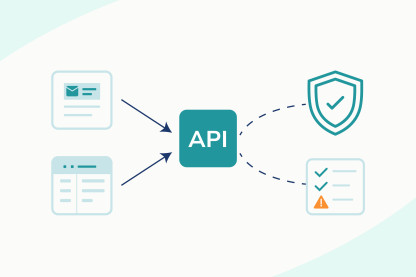
Bulk email verification helps you check a large contact list before sending. Instead of reviewing addresses individually, upload your list, examine the results, and prepare the appropriate group for your campaign.
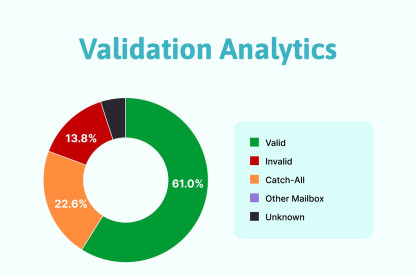
Here's how to handle the results:
- Valid: Keep the address eligible for sending, as long as the contact has the appropriate consent and remains relevant to the campaign.
- Invalid: Exclude confirmed invalid addresses from the campaign. Sending to them creates avoidable hard bounces.
- Catch-all: Keep these addresses separate for further review. A catch-all result doesn't confirm that the specific mailbox exists or that your message will reach the inbox.
- Unknown: Retry verification when appropriate. If the result remains unknown, hold the address until you have enough information to decide whether to send.
- Risky addresses: Not all risky addresses pose the same concern. Check the specific flag, such as a temporary or disposable email address, and decide how to handle it before adding the address to your holiday campaign.
ExactVerify lets you upload CSV or TXT files for bulk email verification and download the results for review. Use those results to separate confirmed invalid addresses from contacts that need further attention before preparing your campaign list.
Don't wait until the day before a major sale to verify your list. Review uncertain results early and recheck any new or updated contacts before your next major campaign.
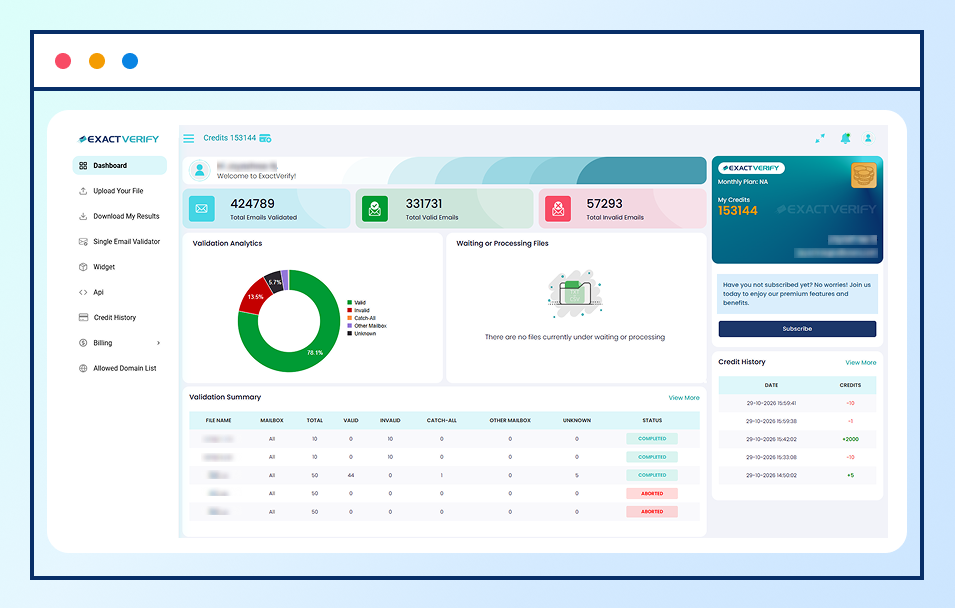
Source: ExactVerify Dashboard
Step 3: Handle Catch-All and Unknown Email Addresses
You've cleaned your list, but not every address has a clear result. Some are marked catch-all, while others show as unknown. Do you remove them before sending your Halloween offers or Christmas promotions, or keep them on the list?
It's worth checking before you decide. Catch-all domains are especially common in corporate and B2B email environments. According to ZoomInfo research on email accuracy and verification, roughly 30% of business email addresses are configured with catch-all server settings, where receiving mail servers accept incoming messages for unassigned or misspelled mailboxes before deciding whether to deliver or drop them. Because server settings vary across corporate domains, catch-all addresses shouldn't automatically be treated as deliverable or invalid for holiday mailing lists.
So, what should you do with these results before your next campaign?
- For unknown addresses, try verification again: A temporary server issue or connection timeout can prevent a clear result. Retry later, and keep the address separate if its status remains unknown.
- For catch-all addresses, look at the contact's history: Did the person recently sign up, make a purchase, or click one of your previous emails? These details help you decide whether the contact is worth considering, although they don't confirm that the mailbox will accept your message.
- Don't treat every uncertain address the same way: A recently engaged customer and an old contact who hasn't interacted with your emails for months deserve different levels of scrutiny.
- Review your decision before each major send: Whether you're preparing for Halloween, Black Friday, Cyber Monday, Christmas, or New Year, don't add all uncertain addresses to the campaign to reach more people.
Step 4: Segment Your Audience for Each Holiday
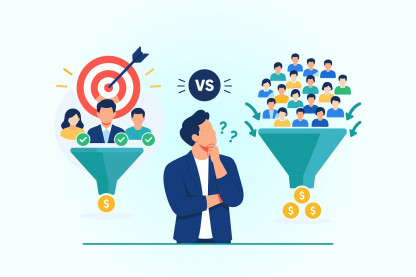
Sending the same holiday promotion to your entire email list ignores differences in customer interest, purchase history, and engagement. A customer who recently purchased from you has different needs from a prospect who has never converted. Segmenting your audience helps you plan campaigns around these differences instead of relying on a single message for every contact.
Segmentation can also influence campaign revenue. According to Klaviyo's historical holiday-quarter data, revenue per recipient was more than threefold higher for highly segmented lists than for unsegmented lists.
Before scheduling your holiday emails, consider these segmentation criteria:
- Purchase history: Separate new customers, repeat buyers, and customers who have not purchased recently. This helps you distinguish acquisition offers from repeat-purchase promotions and customer retention campaigns.
- Engagement history: Identify subscribers who have recently clicked emails or interacted with relevant content. Prioritize contacts with recent engagement when planning time-sensitive promotions.
- Product interest: Use available purchase and browsing data to tailor recommendations to customers' demonstrated interests rather than sending every product offer to the entire list.
- Location and delivery requirements: Account for regional promotions, shipping cutoffs, and delivery availability. This is particularly important during the Christmas shopping period, when delivery timing can affect purchase decisions.
- Inactive contacts: Review subscribers with no recent engagement separately. Check consent and engagement history before deciding whether to include them in a campaign.
Apply these criteria to the objective of each campaign. For Black Friday, you might prioritize repeat customers for early access and send the main promotion to other eligible subscribers. For Christmas, product recommendations and delivery deadlines may be more relevant than a blanket discount. The segments should reflect your actual customer data and campaign goals.
Once your audience segments are ready, you can plan your sending schedule and prepare your domain for the increased email volume that holiday campaigns can bring.
Step 5: Prepare Your Sending Domain and Campaign Schedule
Your list is cleaned, your audience segments are ready, and your holiday offers are taking shape. Before scheduling your emails, check your domain authentication and plan how you'll manage increased sending volume.
Google requires senders who send more than 5,000 messages per day to personal Gmail accounts to meet its bulk-sender requirements, including SPF, DKIM, and DMARC authentication. Marketing and promotional messages must also support one-click unsubscribe. These requirements make authentication and unsubscribe settings important checks before a major holiday campaign.
Here's what to check before launch:
- Check your email authentication: Confirm that your domain has valid SPF and DKIM records, and configure DMARC to specify how receiving servers should handle messages that fail authentication. Don't wait until your holiday campaign is scheduled to identify missing or misconfigured records.
- Plan your sending volume: If you're using a new domain or increasing volume significantly, build up gradually rather than sending your entire holiday list at once. Follow your email service provider's sending limits and monitor bounce rates and spam complaints as volume increases.
- Create a realistic campaign calendar: Schedule promotional emails, reminders, and last-chance offers in advance. After the first send, review clicks, conversions, unsubscribes, and delivery results before deciding whether to proceed with the next campaign.
- Prioritize engaged subscribers when increasing volume: Begin with contacts who have recent engagement, provided they have the appropriate consent. Expand to other eligible segments based on campaign performance rather than increasing volume without reviewing the results.
- Build a gap for testing and corrections: Schedule campaigns early enough to test links, check personalization, confirm discount codes, and resolve authentication or content issues before launch.
Step 6: Run Final Checks Before Launch
Before you hit send, review the email content, recipient settings, and campaign configuration. A broken discount link, an incorrect offer, or an email sent to the wrong segment can undermine your preparation.
Use this checklist before each major holiday campaign:
- Test every link and discount code: Confirm that product links, landing pages, and promotional codes work as intended. Make sure the offer in the email matches the terms on your website.
- Review the subject line and preview text: Ensure both accurately represent the offer and set the right expectations. Avoid misleading urgency or claims the email doesn’t deliver.
- Check personalization and recipient settings: Confirm that personalized fields display correctly and that the campaign is assigned to the intended segment. Check the recipient count before approving the send.
- Test the email on mobile and desktop: Review the layout, images, buttons, and text across different screen sizes. Make sure the main offer and call to action are easy to identify.
- Send a test email: Review the message in the email clients available to your team. Check for formatting problems, missing images, broken links, and copy errors.
- Confirm exclusions and unsubscribe settings: Verify that unsubscribed contacts and other excluded recipients are removed from the send, and test that the unsubscribe link works.
- Verify the scheduled date and time: Check the send date, recipient time zone, audience segment, and campaign details before confirming the schedule.
Holiday Email Campaign Examples: Halloween, Black Friday, Cyber Monday, Christmas, and New Year
Holiday campaigns differ in timing, customer intent, and purchasing deadlines. Your email strategy should reflect these differences, from reaching Halloween shoppers before the final delivery window to adjusting Black Friday follow-ups based on purchase activity.
Halloween: Make Your Emails Relevant to the Season
Halloween is an opportunity to reconnect with subscribers through seasonal email campaigns. As October 31 approaches, use what you know about your audience to make your messages more relevant.
Use past campaign data to guide your Halloween emails. Look at which subject lines, offers, and email content generated the most opens, clicks, and conversions in previous campaigns. Use those results to plan this year's emails. Segment subscribers based on their interests and engagement, and tailor your offers instead of sending the same message to everyone.
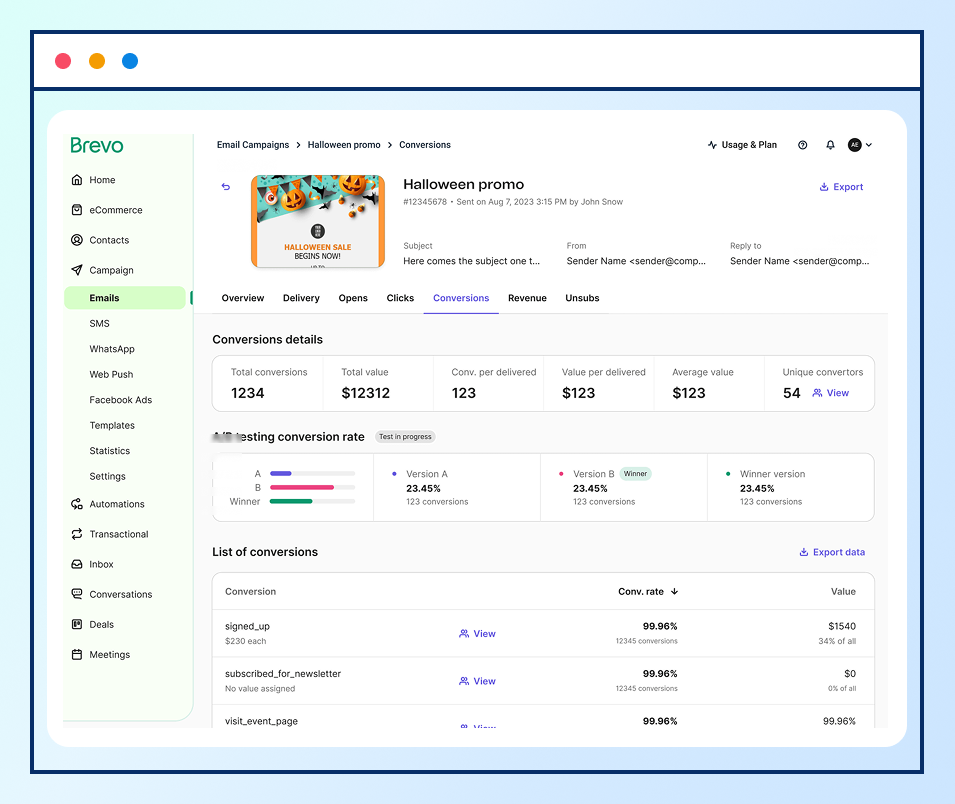
Source: Brevo
Black Friday: Prepare for a Sudden Increase in Email Volume
Planning to send more emails than usual this Black Friday? Before you increase your sending volume, check whether your email list and sending setup are ready. Sending to your entire database at once can create deliverability risks if your list contains outdated addresses or your domain isn't ready to handle the increase.
Plan your audience and sending sequence before the sale begins. Consider giving eligible loyal customers early access, followed by the main promotion to the wider subscriber base. If you're using a new sending domain or IP address, start warming it up several weeks before Black Friday. Monitor bounce rates and spam complaints as you increase volume, and investigate unexpected changes before proceeding with additional sends.
Black Friday Email Campaign Preparation
Cyber Monday: Use Black Friday Results to Refine Your Follow-Up
Cyber Monday follows closely after Black Friday, giving marketers a short window to act on the previous campaign's results. Repeating the same offer to every subscriber ignores the difference between customers who purchased, prospects who showed interest, and recipients who didn't engage.
Use purchase and engagement data to determine the next message. Customers who purchased during Black Friday can receive relevant complementary offers, while subscribers who clicked a product but did not buy can receive a more focused follow-up. Exclude completed purchases from reminders when the original offer is no longer relevant.
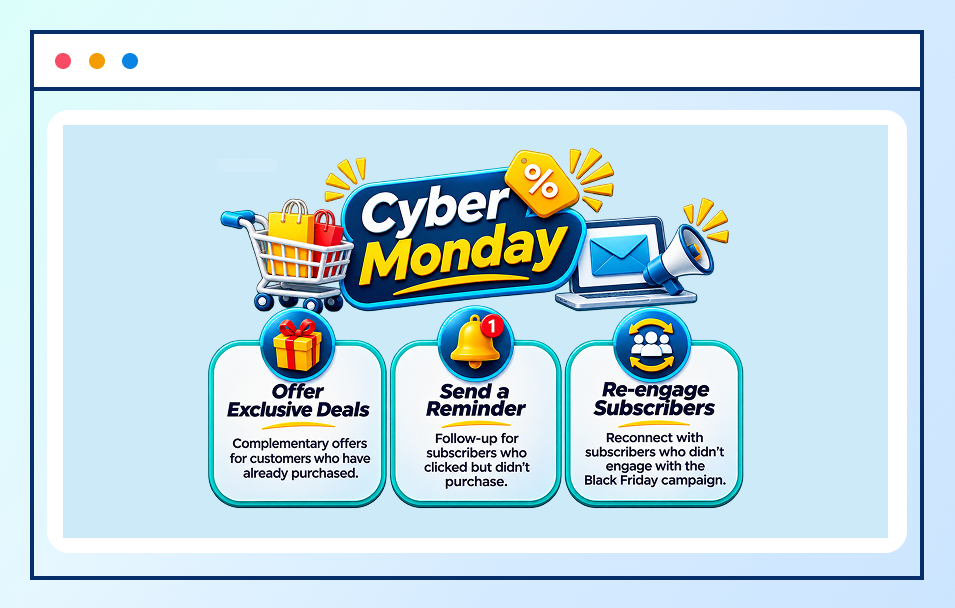
Cyber Monday Email Follow-Up
Christmas: Make Your Emails Feel More Personal
Christmas gives email marketers a chance to reconnect with subscribers, thank loyal customers, and share seasonal offers. But when every brand fills inboxes with festive promotions, another generic holiday email is easy to ignore.
Give subscribers a reason to open yours. Share a genuine thank-you with your customers, tailor holiday offers to subscriber interests, or send a year-end update that reflects what matters to your audience. Keep your sending schedule in mind, too. A thoughtful email sent at the right time is more useful than several similar promotions competing for attention.
Before your campaign goes out, make sure your email list is ready. Remove invalid addresses to reduce avoidable bounces and give your Christmas emails a better chance of reaching the people you want to connect with.
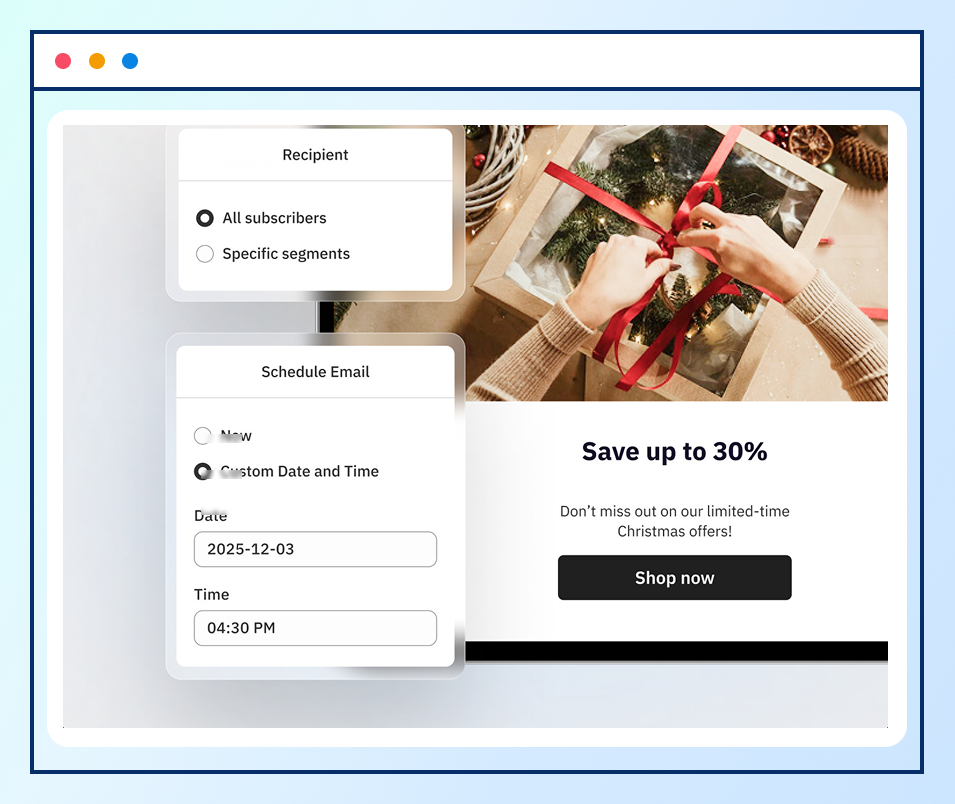
Personalized Christmas Email Campaigns (Source: CWILL)
New Year: Move Beyond the Holiday Discount
After several weeks of seasonal promotions, another general discount may give subscribers little reason to engage. New Year campaigns offer an opportunity to focus on what customers need next, rather than extending the holiday sale without a clear objective. Relevant offers give customers a stronger reason to act and help businesses avoid relying on discounts for every conversion.
Use customer needs and previous purchase behaviour to shape the next campaign. A business can promote complementary products, encourage replenishment where appropriate, or introduce a relevant product category. When offers reflect customer interests, businesses have a better chance of generating purchases while avoiding discounts for customers who might have bought anyway.
Review campaign results after each send to see which offers generated clicks, conversions, and unsubscribes. These insights help marketers refine their next campaign, allocate promotional budgets more effectively, and build stronger customer relationships beyond the holiday season.

New Year Email Marketing Ideas
Prepare Your Email List for the Holiday Rush
Before your holiday campaign goes out, take another look at the list you're planning to send to. Check when the contacts were added, review previous bounce rates, and look for duplicate or outdated addresses that need attention.
Next, verify your email list and review the results. Remove confirmed invalid addresses, retry verification for unknown results when appropriate, and keep catch-all addresses separate for further review. This helps you make more informed decisions about which contacts to include in your campaign.
Then review your audience segments. Recent buyers, engaged subscribers, and contacts who haven't interacted with your emails need different approaches. Match your segments to each holiday offer instead of sending the same promotion to everyone.
Before scheduling your campaign, check your domain authentication, plan your sending volume, and test your emails. Preparing these details in advance gives you time to address list-quality issues and resolve campaign problems before the holiday rush begins.