

Email list hygiene is like maintaining a system that runs quietly in the background. Small issues may go unnoticed at first, but over time they affect performance and reliability. For businesses and marketers with large email lists, problems appear as inactive addresses, incorrect contacts, or recipients who no longer engage with your messages. If these issues are ignored, your emails are less likely to reach inboxes, and mailbox providers may begin to question sender trustworthiness.
Mailbox providers like Gmail monitor these factors closely, and Google Postmaster Tools gives senders insight into how their sending behavior and list quality align with Gmail sender guidelines. Keeping your email list clean not only protects your sender reputation but also improves email deliverability.
In this blog, we’ll explore what email list hygiene is, why it matters for Google Postmaster compliance, and how you can monitor and maintain list health using the latest version of Google Postmaster Tools.
What Is Email List Hygiene?
Email list hygiene is all about keeping your email addresses clean, accurate, and active. It means removing invalid or inactive email addresses and focusing on people who actually open and engage with your messages. The benefits are clear: better deliverability, fewer bounces, and stronger engagement over time.
From Gmail’s perspective, a well-maintained list isn’t just a best practice; it shows responsible sending. Clean lists help your emails reach the inbox and land with people who really want to hear from you.
Why Email List Quality Is Important for Google Postmaster Compliance?
Google Postmaster Tools tracks several signals to evaluate sender reputation, including bounce rates, spam complaints, and engagement. An email list with invalid or inactive email addresses increases bounce rates, which can temporarily delay or slow down acceptance of your emails.
Spam complaints, even from a small percentage of recipients, can lower your sender score, prompting Gmail to filter future messages or route them to the Promotions or Spam folder. Low engagement rates can also signal to Gmail that your emails aren’t relevant, which can affect how consistently your messages reach the inbox.
By maintaining a high-quality email list, you minimize these risks, ensure smoother delivery, and give Gmail confidence that your emails are wanted and relevant. This practical approach supports long-term inbox placement and helps your campaign perform more reliably.
Best Practices to Keep Your Email List Healthy
Below are 10 proven best practices to help maintain a healthy email list, improve engagement, and support Google Postmaster compliance.
1. Reduce Bounce Rate
High bounce rates usually occur when emails are sent to invalid, inactive, or temporary addresses. An email verification tool helps reduce this risk by checking email syntax, validating domains and mail servers, and detecting disposable or non-existent email accounts before campaigns are sent. Cleaning your list in advance removes addresses that are likely to bounce, resulting in fewer delivery failures, stronger sender reputation, and more reliable inbox placement.

2. Review and Limit Role-Based Email Addresses
Role-based email addresses such as admin@, billing@, or contact@ are shared inboxes rather than individual subscribers. These addresses rarely engage with marketing emails, which can lower engagement metrics and impact sender reputation. Review your list regularly and remove unnecessary role-based addresses to maintain a more responsive, high-quality email list.
3. Remove Inactive Subscribers Regularly
Subscribers who haven’t opened or interacted with your emails in the last 90–180 days can reduce overall engagement and affect sender reputation. Start by running re-engagement campaigns to try and re-activate them. If they remain unresponsive, remove them from your list to maintain a clean, engaged audience and improve deliverability.
4. Monitor Bounce Rates Closely
Both hard bounces and repeated soft bounces can harm your sender reputation and reduce deliverability. Regularly track bounce rates after each campaign, and remove addresses that consistently fail to receive emails. Maintaining low bounce rates helps ensure your messages reach subscribers’ inboxes reliably. Learn more about what email bounces are and the types of bounces in our detailed blog.
5. Track Engagement Metrics Consistently
Monitor key metrics such as opens, clicks, and spam complaints to understand how subscribers interact with your emails. Regularly reviewing engagement helps you identify which content and audience segments perform well, and highlights areas that may need adjustment to maintain a healthy, responsive list.
6. Segment Your Audience for Relevance
Organize your subscribers into groups based on behavior, interests, or engagement patterns. Targeting each segment with relevant content improves engagement, click-through rates, and reduces unsubscribes.
7. Give Subscribers Control Over Email Preferences
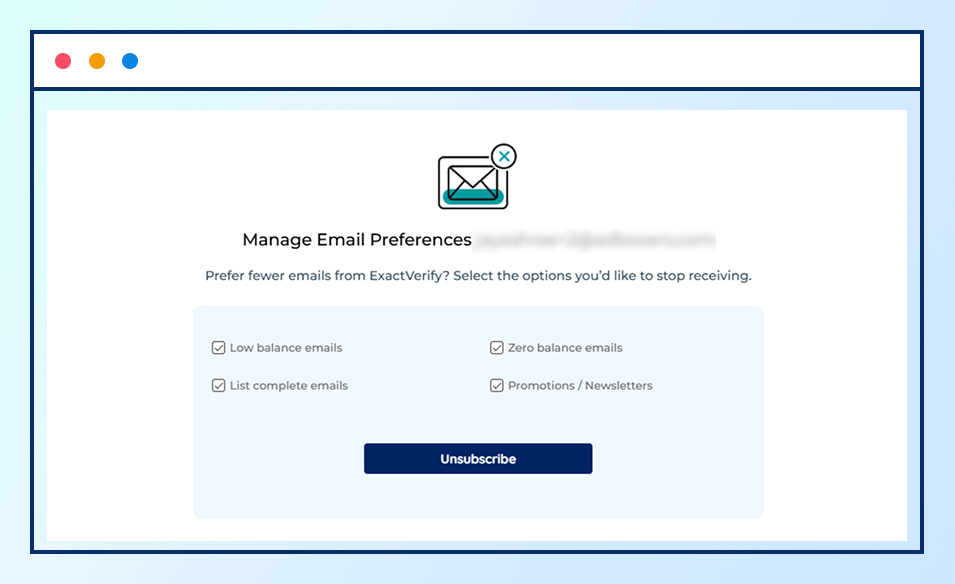
Provide a clear email preference where subscribers can select the types of emails they want to receive and adjust how often they receive them. Always include an easy unsubscribe option so recipients can opt out without marking emails as spam.
8. Use Double Opt-In
Ask new subscribers to confirm their email address before adding them to your list. Double opt-in verifies intent, improves list quality, and reduces spam complaints by ensuring only valid, engaged contacts are added.
9. Avoid Purchased or Third-Party Email Lists
Purchased or third-party email lists often include outdated, invalid, or non-opt-in email. Building your list through organic sign-ups helps maintain engagement, protects your sender reputation, and creates a more reliable subscriber base over time.
10. Follow Email Compliance Regulations
Ensure your email practices align with regulations such as GDPR and CAN-SPAM, which define how consent is collected, stored, and respected. Compliance protects your brand from legal penalties, reinforces sender credibility, and supports long-term deliverability with mailbox providers.
Monitoring Email List Health with Google Postmaster Tools (Version 2)
Once your email list is clean, monitoring it through Google Postmaster Tools (Version 2) updated interface places greater emphasis on compliance, recipient feedback, and secure sending, moving away from the older reputation-centric view.
All sections below reflect what is currently available in the new Google Postmaster Tools interface.
Compliance Status
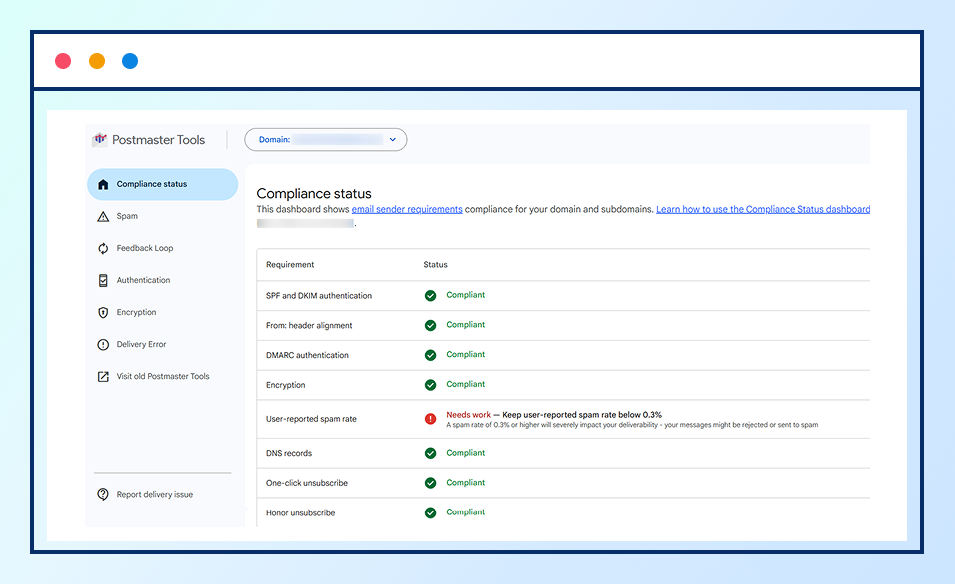
Compliance Status is a core dashboard in Google Postmaster Tools v2. It shows whether your sending domain aligns with Gmail’s sender guidelines, including email, authentication, and user feedback signals.
Issues in this section often point to problems such as sending to inactive users, weak consent practices, or repeated spam signals. Monitoring compliance status helps identify deliverability risks early.
Spam
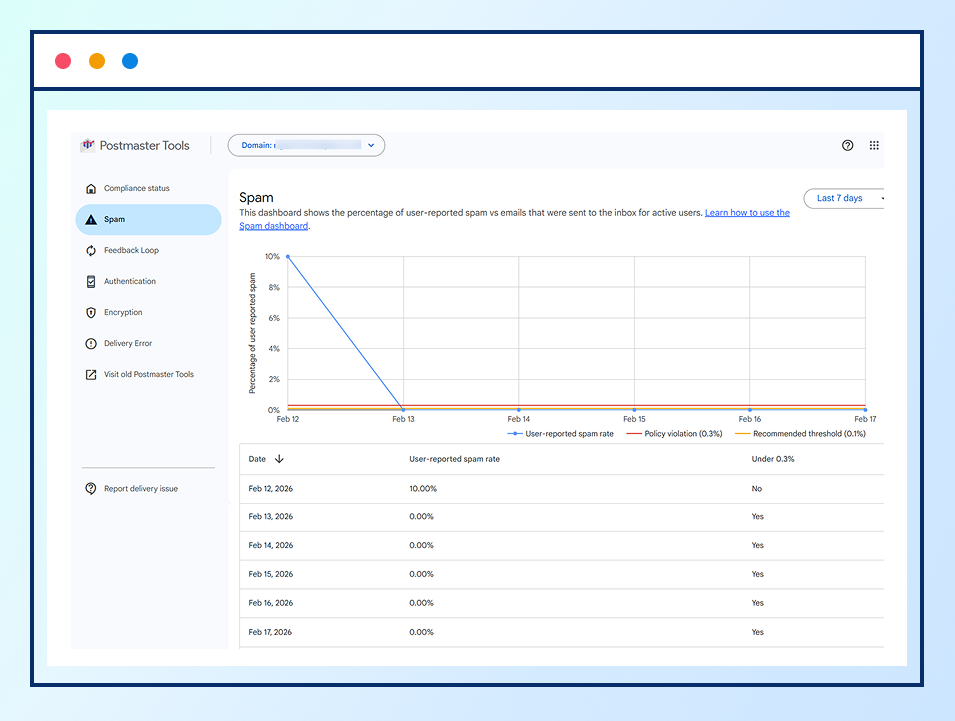
The Spam section shows how Gmail users interact with your emails, including how often messages are marked as spam.
Higher spam activity typically indicates disengaged subscribers or emails sent without clear opt-in expectations.
Feedback Loop
The Feedback Loop provides aggregate spam report signals when users mark emails as spam. While individual complaints are not disclosed, trends in this section help identify user-reported spam rate for an ongoing list or a specific email list.
Repeated negative feedback often signals emails being sent to recipients are irrelevant.
Authentication (SPF, DKIM, DMARC)
The Authentication section shows whether your emails pass SPF, DKIM, and DMARC checks. These protocols confirm that your emails are properly authorized and sent from a legitimate source. Even with a clean email list, failed authentication can lead to filtering or email rejection. You can also generate and check your DMARC records using a DMARC Generator tool.
Encryption
The Encryption section indicates whether emails are delivered securely using TLS encryption. Gmail favors encrypted email delivery, and consistent encryption supports secure message transmission.
Monitoring this metric ensures your email infrastructure meets current security standards.
Delivery Errors
Delivery Errors show emails that Gmail was unable to deliver. These failures often occur due to invalid addresses, or temporary delivery issues. A sudden increase in delivery errors usually signals declining list quality and the need for email verification or list cleanup.
For a deeper breakdown of failure reasons, refer to common SMTP Error Codes and their meanings in our email bounce guide.
Google Postmaster Tools: Version 1 vs Version 2
The old version of Google Postmaster Tools (Version 1) focused heavily on visible IP and domain reputation. This approach became less effective for modern email ecosystems.
Google Postmaster Tools Version 2 replaces this model with a compliance-based framework, where sender trust is evaluated through behavior, engagement, authentication, and user feedback instead of standalone reputation sending.
Although Version 1 is still available, senders are encouraged to switch to Version 2 because the old interface will be discontinued in the future.
How to Access Google Postmaster Tools for Your Domain (Step-by-Step)
To start monitoring these metrics, you need to set up Google Postmaster Tools for your sending domain.
Step 1: Sign in to Google Postmaster Tools
Go to postmaster.google.com and sign in with a Google account.
Step 2: Add Your Sending Domain
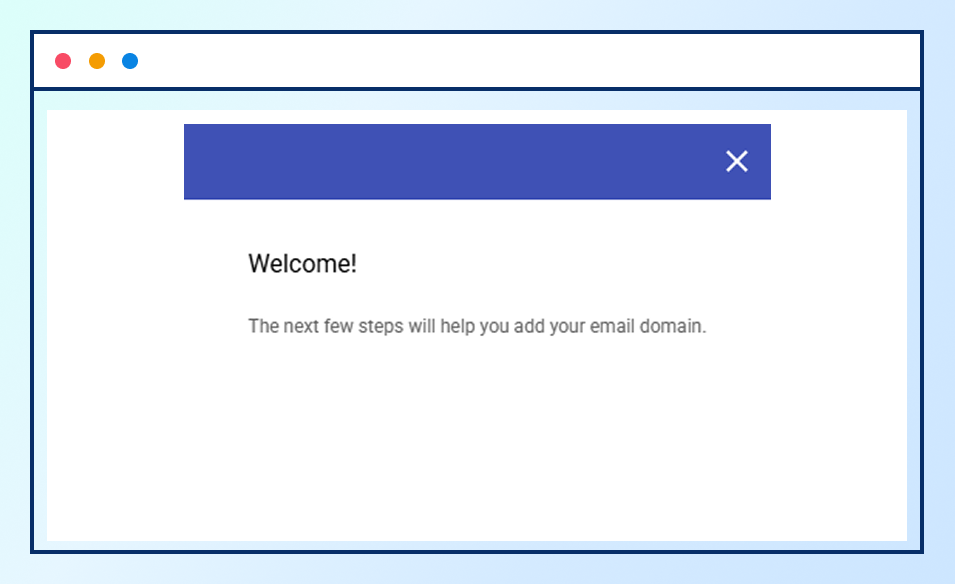
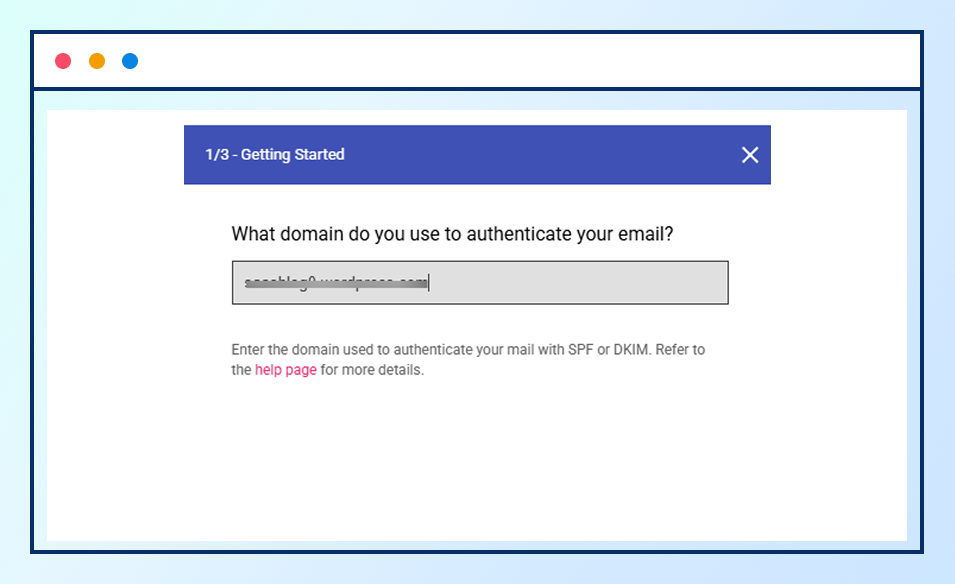
Click Add Domain and enter the domain used in your email “From” address.
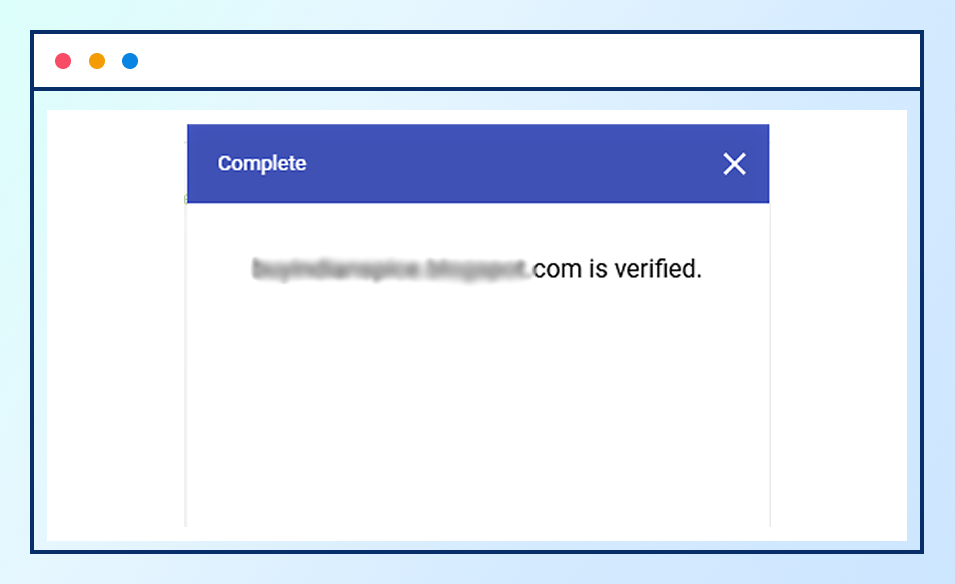
Step 3: Verify Domain Ownership
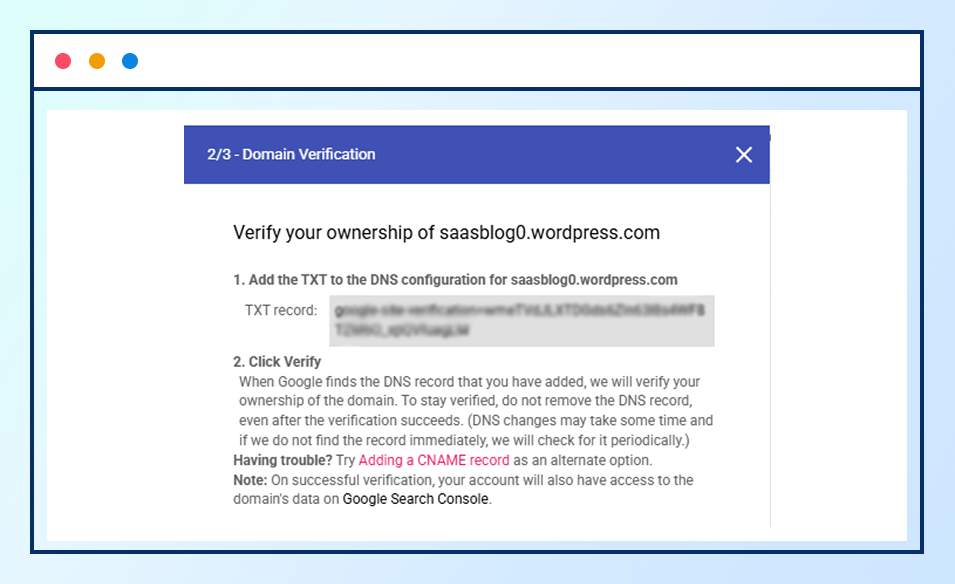
Add the provided TXT record to your domain’s DNS settings to complete verification.
Step 4: Wait for Data to Appear
Data appears only after verification and consistent email sending, usually within a few days.
Step 5: Review Metrics Regularly
Check compliance status, spam signals, authentication, encryption, and delivery errors regularly to maintain compliance and inbox placement.
Bottom Line
Maintaining a healthy email list is more than just removing invalid addresses. It directly impacts Gmail compliance, inbox placement, and subscriber engagement.
Google Postmaster Tools Version 2 provides insights into compliance status, spam signals, authentication, encryption, and delivery errors.
Combined with regular email verification and good list hygiene, these insights help ensure your emails reach real, engaged subscribers, protect your sending domain, and support consistent email performance.