

Even with so many new tools around, email remains a reliable way to connect with people, whether you’re running a business, managing sales, recruiting talent, or conducting research.
But the real challenge? Finding accurate email addresses.
Instead of being neatly stored in databases or Customer Relationship Management (CRM), email addresses are often scattered in the text inside documents, spreadsheets, chat logs, survey responses, or even entire blocks of unstructured text. Manually searching through all this data is not only time-consuming but also prone to errors.
At this point, email extraction comes in, making the process faster, cleaner, and organized.
What is Email Extraction?
Many people confuse email extraction with email scraping.
Email scraping: Collecting random email addresses from the text found on a website or other sources, often without consent or regulations, can often lead to a legal trouble.
Email extraction: A legitimate process that automatically identifies and captures valid email addresses from unstructured text, then organizes them into a clean, usable list by removing duplicates and fixing formatting issues.
You may come across hidden email addresses in places like:
✔️
Customer support logs and inquiries are stored in shared inboxes
✔️
Job applications and resumes saved as PDFs
✔️
Registration lists from events or webinars
✔️
Internal reports or CSV exports from legacy systems
✔️
Survey responses or feedback forms
Why Email Extraction Matters and Who Needs It?
Many professionals make use of email extractors. Here are some of the most common groups that depend on them.
Marketers & Sales Teams
Marketing and sales professionals rely on email extractors to quickly
extract email from text and turn them into targeted mailing lists. This helps them launch personalized campaigns, expand outreach, drive conversions, and lead generation. An email extractor helps in automating the process of identifying and extracting email addresses from text, and saves manual entry, which aims to focus on strategy and customer relationships.
extract email from text and turn them into targeted mailing lists. This helps them launch personalized campaigns, expand outreach, drive conversions, and lead generation. An email extractor helps in automating the process of identifying and extracting email addresses from text, and saves manual entry, which aims to focus on strategy and customer relationships.
Recruiters & HR Professionals
Recruiters and HR professionals use email extractors to optimize the applicant sourcing process.
To facilitate faster communication with applicants, they extract the candidate's email address from text within resumes, job applications, and profiles. This quickly organized email address helps them to reduce the time spent on the hiring process and ensures they reach out to potential candidates promptly.
Data Analysts & Researchers
Researchers and analysts often need email addresses from papers, reports, or databases. An email extractor allows them to utilize this information to conduct outreach for surveys, collaborations, or academic outreach. This email extraction process saves time, reduces errors, and makes large-scale analysis more efficient.
Freelancers & Small Business Owners
Freelancers and small businesses use email extractors to find a potential client list to expand their network. Utilizing this email extractor enables individuals to extract email addresses from text online, allowing them to connect directly with potential clients and partners found on websites. It aids in establishing a robust online presence, fostering relationships, and promoting business growth with minimal manual effort.
Network Builders
Professionals looking to enhance their networks often use an Email Extractor to gather contact lists from documents, event registration forms, and chat transcripts. This facilitates the process of communicating directly, building relationships, and growing professionally. By collecting email addresses efficiently, they can broaden their professional networks and establish valuable connections. Often, network builders depend on the effectiveness of extracting emails from text.
Content Creators
Content creators like bloggers and journalists also take advantage of an email extractor in collecting email addresses from sources they cite or interview. This simplifies the process of reaching out for quotes, permissions, or additional information. By automating email extraction process, content creators can focus on producing high-quality content and ensuring their sources are accurate.
Why Manual Email Extraction Fails?
Manual methods may look simple to go through the documents and collect email addresses from the text, but this approach quickly breaks down when the volume of data increases.
●
Time-Consuming: Going through hundreds of documents or lines of text can take hours or even days.
●
Error-Prone: Just a single missed character or extra space can result in an email not being delivered.
●
Duplicate Risk: Without efficient filtering, you could inadvertently send multiple emails to the same person.
●
Lost Opportunities: Important contacts hidden in files can easily be overlooked.
How to Extract Email Address from Text (Step by Step)
Below are the instructions for extracting email address from text:
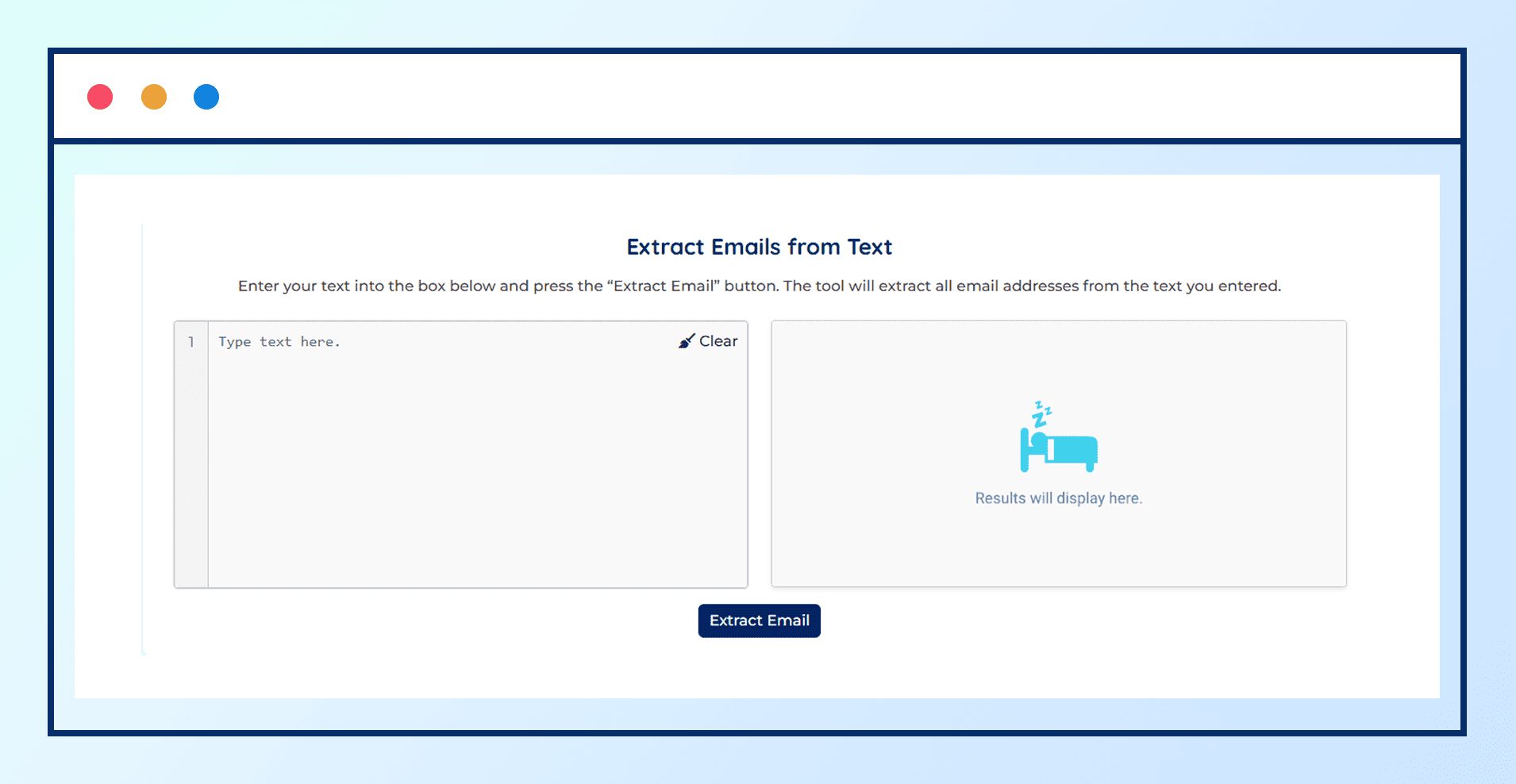
Step 1: Enter or Paste Your Text
Instead of wasting time scrolling through lines of text, paste or enter your content into the Email Extractor tool. It automatically scans and picks out email addresses even from the text or source code.
Step 2: Extract Emails Instantly
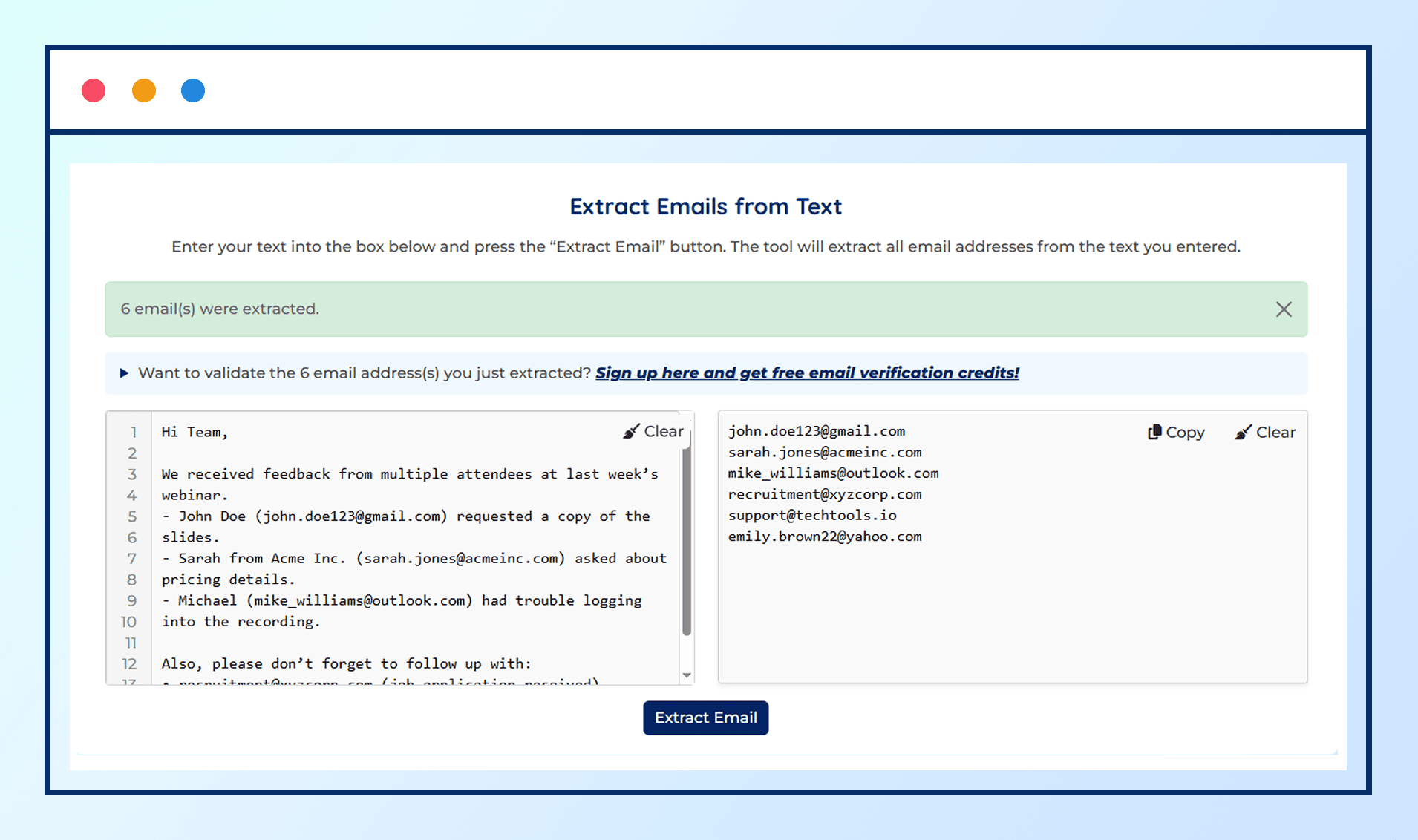
The tool parses through the text in seconds, pulling out all the email addresses and presenting them in a clean, ready-to-use list.
Step 3: Remove Duplicates & Junk Addresses
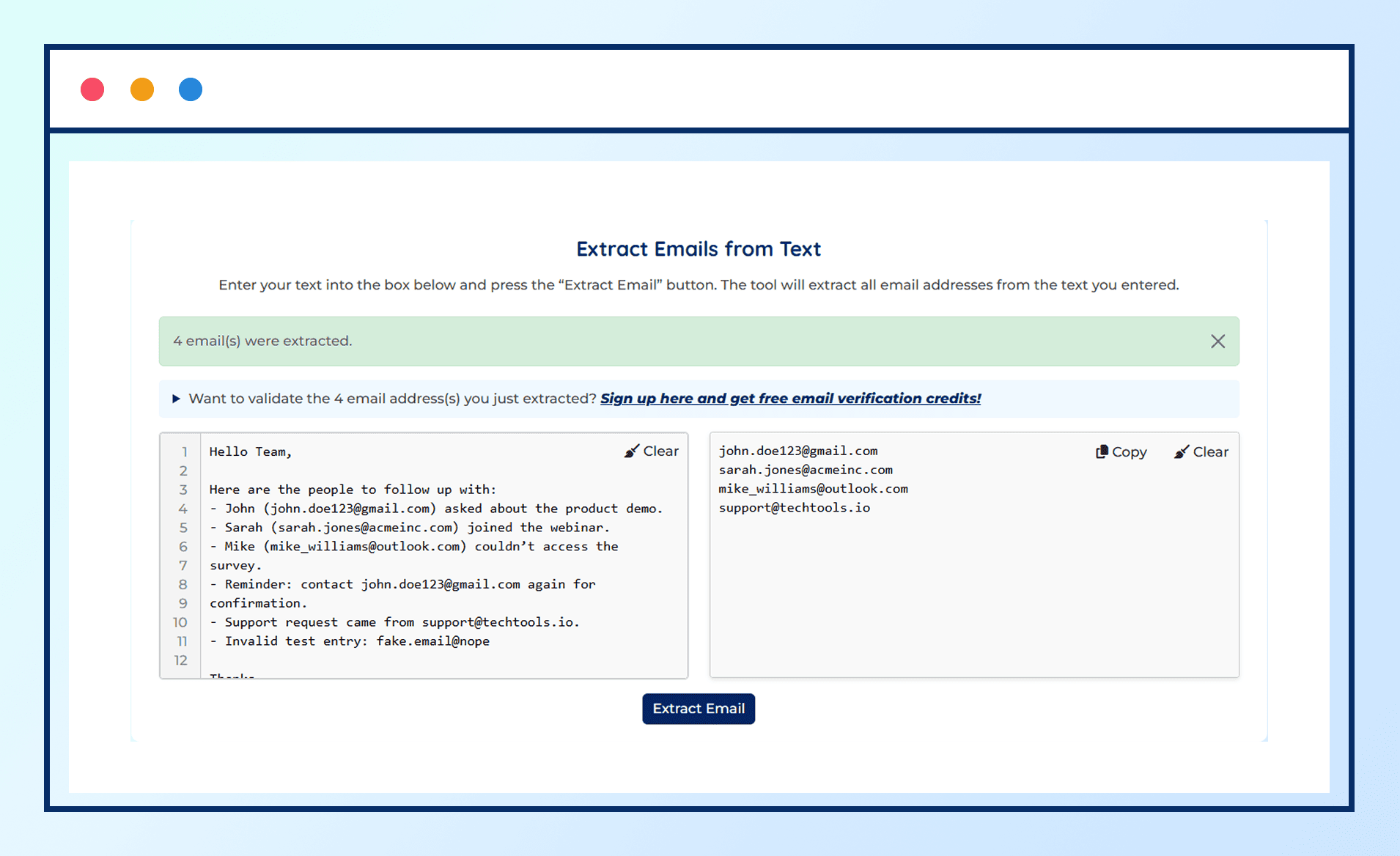
The email extractor tool automatically removes duplicate email addresses and provides you with a clean email list.
Step 4: Verify Your List for Accuracy
Extraction alone isn’t enough. Upon collecting the email addresses run them through a free email verifier. This ensures the emails are:
●
Identified with no syntax errors
●
Associated to an active domain and mail server
●
Not disposable or invalid email address
●
Secure for outreach purpose
Why Email Verification Matters Alongside Extraction?
Without verification, you are at a risk of sending emails to invalid email addresses. The consequences are serious:
●
High Bounce Rates – Emails that don’t reach an inbox hurt deliverability.
●
Damaged Sender Reputation – Too many bounces signal to providers (like Gmail, Yahoo, or Outlook) that you may be a spammer.
●
Lower ROI – Spending more time and effort chasing invalid contacts.
After extracting emails, it is always a good idea to run them through verification to make sure they are valid before using them for outreach. We talked about this in our cold outreach blog as well.
Bottom Line
Email extraction is more than just pulling addresses from text. It is about turning scattered information into usable, actionable contacts.
When combined with verification, it ensures your campaigns reach real inboxes, your reputation stays safe, and your outreach efforts deliver measurable results.
Instead of wasting time manually digging through text, let the tool extract emails and verify them, turning raw data into real opportunities.