
Bulk email sending often looks straightforward. You create an email message, upload your contacts, and send it in large volume. However, many marketers quickly notice a problem: emails show as sent, but results are disappointing. Open rates drop, emails land in spam, or delivery becomes inconsistent.
This usually isn’t caused by poor content. It happens because bulk email sending depends on trust, and that trust isn’t built automatically.
Mailbox providers like Gmail, Outlook, and Yahoo do not immediately trust new senders. When a sender with little or no history suddenly sends a large volume of emails, these providers may limit or block delivery to protect users.
This is where IP warm-up becomes critical. It helps mailbox providers understand your sending behavior before you start sending large volumes of emails. In this blog, you’ll learn what IP warm-up really means, how mailbox providers evaluate bulk senders, what happens when warm-up is skipped, and how proper warm-up sets you up for long-term email success.
What IP Warm-Up Really Means
Every email you send comes from an IP address. Mailbox providers such as Google, Yahoo, and Microsoft evaluate that IP address to determine where your emails are delivered.
When an IP is new or hasn’t been used for a long time, it has no sending history. Mailbox providers have no direct way to know whether recipients expect your emails or how they will engage with your emails. As a result, messages sent from a new IP are often delayed, restricted, or sent to spam.
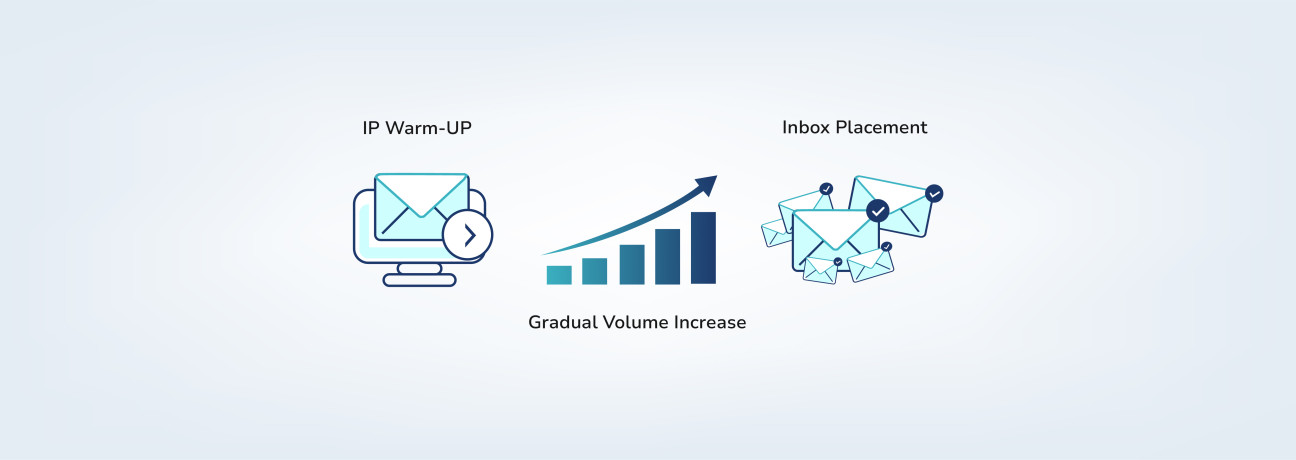
To build trust with inbox providers, start with IP warm-up. This is the gradual increase of your email volume over time. By beginning with smaller sends and growing steadily, you give mailbox providers a chance to see that your sending behavior is consistent and that your emails are expected by recipients.
In simple terms, IP warm-up helps your emails reach inboxes more reliably by reducing early spam filtering and IP rate limits.
Benefits of a Proper IP Warm-Up
By warming up your IP correctly, you can achieve the following benefits:
✔️
Your email volume increases slowly rather than all at once
✔️
Recipients regularly open and engage with your emails
✔️
Your sending patterns are consistent and predictable
✔️
More emails reach inboxes instead of being filtered
✔️
Engagement remains steady as your sending volume grows
When IP Warm-Up Is Required
An IP warm-up is needed whenever your emails come from an IP address that inbox providers haven’t recognized before. Common situations include:
●
New IP address: A newly assigned IP has no sending history, so mailbox providers cannot immediately judge its trustworthiness. Gradual, consistent sending helps establish legitimacy.
●
Switching or adding IPs: Whether you’re moving to a new email provider or adding extra IPs, each IP starts fresh and needs time to build a sending reputation.
●
Reactivating an inactive IP: IPs that haven’t been used for a long time may appear suspicious if large volumes are sent suddenly. Gradual sending helps restore trust.
●
New brand or domain: A new sender domain needs time for mailbox providers to recognize it as legitimate.
How Mailbox Providers Evaluate Bulk Email Senders
Mailbox providers don’t evaluate each email individually. Instead, they look for consistent patterns over time to decide how future emails should be delivered. The main factors they consider are:
✔️
Sending volume and growth: A steady increase in volume appears natural, while sudden spikes can look risky. Gradual growth demonstrates responsible sending behavior.
✔️
Recipient engagement: Providers consider how recipients respond to a small sample of emails. Positive engagement helps future inbox placement, while low engagement or complaints can reduce deliverability.
✔️
Consistency: Predictable sending patterns over time help build trust with mailbox providers.
By maintaining steady volume, positive engagement, and following consistent patterns, IP warm-up helps ensure mailbox providers recognize your emails as trustworthy.
What Actually Happens When You Skip IP Warm-Up
When you skip IP warm-up, nothing breaks immediately. Your emails are sent, and from your side, everything may appear normal at first.
However, Internet Service Providers (ISPs) may flag a sudden increase in sending volume as unusual, which can lead to temporary throttling or delayed delivery before emails even reach inboxes.
Once emails pass this stage, mailbox providers such as Gmail, Outlook, and Yahoo limit inbox placement for new or untrusted IP addresses. Only a portion of emails reach inboxes, while others are filtered or placed in spam as part of their evaluation.
Mailbox providers then monitor recipient behavior, such as opens, clicks, deletions, and spam complaints, to decide how future emails from the sending IP are handled. If early campaigns show bounces due to poor list hygiene or low engagement, mailbox providers may further restrict delivery. This results in more emails landing in spam, making campaign performance appear weak even when the email list quality is good.
Common IP Warm-Up Mistakes
Even carefully planned IP warm-ups can fail if early sending behavior makes mailbox providers question whether your emails are legitimate. Some mistakes can quickly undermine your warm-up efforts:
●
Exceeding planned daily sending limits during IP warm-up can raise red flags for mailbox providers and harm your sending reputation.
●
Emailing inactive or outdated contacts from your email list can lead to bounces and lower engagement, which hurts deliverability.
●
Ignoring early engagement signals like opens, reads, or spam reports can allow problems to grow unnoticed.
●
Sending heavily promotional emails too early can trigger spam filters and reduce inbox placement.
●
Relying on good content alone won’t guarantee inbox delivery if your sending patterns are poor.
Preparing Your IP for Bulk Email Campaigns
The steps below show how to introduce your IP to mailbox providers, protect early engagement, and avoid delivery issues as your sending volume grows.
Step 1: Start small
Begin by sending a limited number of emails. Many use an IP warm-up tool to control daily limits and gradually build trust with mailbox providers.
Step 2: Send to active contacts first
Prioritize sending emails to the targeted audience who have recently opened or engaged with your emails. Using an email verification tool helps remove invalid or disposable addresses, ensuring better early engagement.
Step 3: Increase volume gradually
Raise the number of emails you send in stages over several days or weeks. A gradual approach helps your IP earn a good reputation and avoids triggering spam filters.
Step 4: Keep a consistent schedule
Send emails at similar times and on similar days. Predictable patterns help mailbox providers more likely to trust your IP.
Step 5: Watch early performance closely
Track opens, clicks, and spam complaints. If engagement is low or complaints arise, slow down or pause to prevent damage to your reputation.
Step 6: Keep early emails simple
Focus on helpful or informative messages rather than heavy promotions. Positive engagement at this stage strengthens your IP’s standing with mailbox providers. For more strategies to boost inbox placement, check out our blog on why your emails aren’t reaching inboxes.
Step 7: Scale only after stability
Once inbox placement and engagement remain steady, your IP is ready for full-scale campaigns. Consistent performance ensures a strong, lasting reputation.
Bottom Line
IP warm-up takes time, but it helps your emails perform better over the long run. Sending slowly, following a regular schedule, and watching how recipients respond helps mailbox providers recognize your emails as legitimate. Skipping or rushing the process can harm your reputation and reduce inbox placement. A thoughtful warm-up creates a strong foundation, making future campaigns more reliable and easier to scale.
Frequently Asked Questions on IP Warm-Up
1. How long does an IP warm-up usually take?
IP warm-up typically takes 4–8 weeks, depending on your sending volume and list quality. The goal is to start with a small number of emails and gradually increase, giving mailbox providers time to trust your sending IP. Rushing the process can hurt deliverability.
2. Should I warm up an IP if I already have a good email list?
Yes. A good email list helps, but IP reputation is separate from your contacts. Even with clean, engaged emails, a new IP starts with no sending history, so warming up gradually helps mailbox providers recognize your IP as trustworthy and ensures consistent inbox placement.
3. Does email verification help during IP warm-up?
Absolutely. Verifying your email list before warm-up reduces bounces and improves engagement signals. Clean, valid email addresses make it easier for mailbox providers to trust your IP and improve deliverability faster.
4. Can I skip IP warmup if I’m only sending 500 emails a day?
No. Even if you’re sending only 500 emails a day, a new IP or domain still needs warm-up. Gradually ramping up volume and monitoring engagement helps mailbox providers recognize your IP, making your emails more likely to land in recipient inbox.
5. Is it better to use an automated warmup tool or do it manually?
Both approaches work:
●
Manual warm-up gives full control over volume and targeting, which is ideal for smaller senders.
●
Automated warm-up tools save time, follow a proven schedule, and adjust based on engagement metrics.
Choose the method that fits your workflow and maintain a consistent, gradual increase in sending volume.
6. Does engagement (opens/replies) actually matter during warmup?
Yes. Mailbox providers monitor how recipients interact with your emails, including whether they open, click, reply, or mark messages as spam. Higher engagement shows your emails are trusted, helping them reach inboxes. If engagement is low at the start, it can slow the warm-up process and make it harder for your emails to be delivered.