
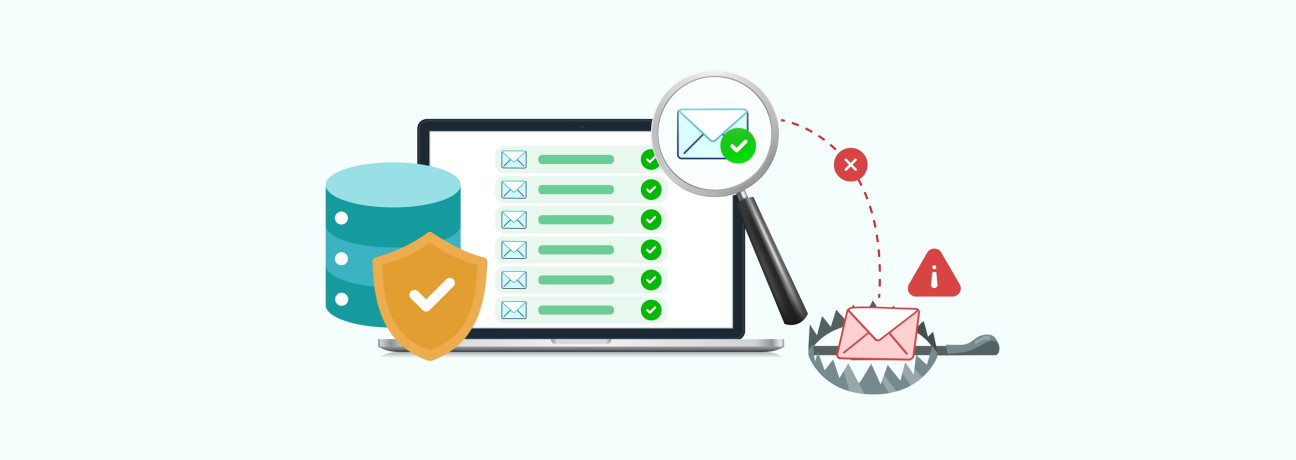
You have a list ready to send, but how confident are you that each email address on your list is safe to email?
You may have already checked your list for invalid or incorrect email addresses. But what about the ones that look completely normal?
Some email addresses can appear valid even when they are not suitable for sending. Spam traps are a common example. A spam trap can appear to be a valid email address, even though it is not a real person waiting to receive your email. Sending to one without knowing it is a spam trap can put your sender reputation and deliverability at risk.
If you are preparing to use an existing email list and want to reduce the risk of hitting spam traps, this guide is for you.
We will look at how spam traps get onto email lists, whether email validation can help reduce the risk, and what else you can do to keep your list clean.
What Are Spam Traps?
Spam traps are email addresses created or repurposed by mailbox providers and anti-spam organizations to identify senders who use poor contact list practices or send unsolicited emails. They look like normal email addresses, but they are not used by a real recipient for regular email communication.
There are three common types of spam traps:
- Pristine: Pristine spam traps are created specifically to identify senders who collect email addresses through practices such as scraping.
- Recycled: Recycled spam traps are old email addresses that were once used by real recipients and later repurposed as traps.
- Typo: Typo traps are email addresses based on common typing or spelling mistakes.
Why Should You Care About Spam Traps?
When your emails reach spam traps, mailbox providers and anti-spam organizations like Spamhaus can see it as a sign of poor list collection or maintenance practices. M3AAWG explains that spam-trap operators use trap data to evaluate IP addresses and domain reputation .
If trap hits persist, they can harm your sender reputation and lead to mail rejection or blocking. As a result, even valid, opt-in subscribers may not receive your emails as expected. You can also use a Blacklist Checker to check whether your domain or IP address is listed on email blocklists.
How Do Spam Traps Get on Your Email List?
Spam traps can enter your database at different stages of collecting and managing your contacts. Here are the main ways they can land on your list:
- Purchasing or Renting Lists: Buying email databases can expose you to pristine traps. These are addresses created by anti-spam organizations to identify senders who collect email addresses through poor acquisition practices.
- Web Scraping: Automated tools that collect email addresses from public websites, forums, or directories can also collect hidden pristine traps placed on those sites.
- Ignoring Inactive Contacts: When users abandon old email addresses, mailbox providers can eventually repurpose those dormant accounts as recycled spam traps. Continuing to send to stale contacts increases the risk of hitting these traps.
- Bot Subscription Bombing: Automated bots can submit large numbers of random addresses through unprotected web forms, potentially adding spam traps to your database. CAPTCHA, double opt-in (DOI), and email validation during signup can help reduce this risk.
- Typo Sign-Ups: Users can make common spelling or domain mistakes, such as @gmial.com instead of @gmail.com. Some of these misspelled addresses can be typo traps, making email validation on your signup forms useful for identifying such errors.
Can Email Validation Detect Spam Traps?
Email validation can help reduce spam trap risk by identifying invalid, mistyped, or non-deliverable addresses before they end up on your list.
It checks email syntax, domain health , and mail server status to identify invalid domains, delivery issues, and common domain typos, such as @gmai.com, that can result in typo traps.
Some spam traps are designed to look like real, valid email addresses . Pristine spam traps can have a valid domain and an active mail server, allowing them to pass standard validation checks. A successful email validation result therefore does not confirm that an address belongs to an active subscriber or is safe to include in your email campaigns.
Email validation is one part of maintaining a healthy email list. Used along with Double Opt-In (DOI) , proper bounce handling, regular list maintenance, and monitoring inactive contacts, it can help reduce the risk of spam traps on your list.
Best Practices to Reduce Spam Trap Risk
For the addresses already on your list, these practices help you keep your list clean and reduce the risk of sending to spam traps.
Remove Bounced Addresses Promptly
When an email address returns a hard bounce, the email could not be delivered to that address. Continuing to send to addresses that have already hard bounced can indicate poor list maintenance and create unnecessary deliverability risks. Email marketing platforms record the hard-bounce status for these addresses, allowing you to filter them from your contact list and add them to a suppression list so they are excluded from future campaigns.
Manage Inactive Contacts
Contacts that have been inactive for a long period require attention, particularly because abandoned email addresses can eventually be repurposed as recycled spam traps. Consider sending a focused re-engagement email to inactive contacts and removing or suppressing addresses that remain unresponsive according to your list management policy.
Re-Verify Your List Before a Large Send
A list verified several months ago can change as addresses become inactive, domains expire, or new addresses are added. Re-verifying your list before a large campaign can help identify invalid or non-deliverable addresses that were not present during the previous verification.
Segment Older Contacts
If a segment of your list has not been contacted recently, consider starting with your more recently engaged contacts rather than sending to the entire list at once. This gives you an opportunity to review delivery results before expanding the campaign to older or less-engaged segments.
When Should You Validate Your List to Reduce Spam Trap Risk?
The right time to validate your list depends on how and when new contacts are added, how long existing contacts have been inactive, and changes in your deliverability metrics . Consider validating your list at these key points:
M3AAWG recommends validating addresses during collection and maintaining good list hygiene, while deliverability research from Validity highlights the impact that list quality can have on inbox placement. Consider validating your list at these key points:
- Re-verify your list every 6–12 months: Addresses that were valid during your last verification can become inactive or non-deliverable later. A fresh check every 6–12 months helps you identify changes in list quality, particularly after a period of inactivity.
- Validate new subscribers and imported contacts: Whenever new addresses enter your database through signup forms, imports, CRM syncs, events, or other sources, validate them before adding them to your regular sending list. This helps catch invalid, mistyped, or non-deliverable addresses early.
- Review contacts that have been inactive for 12–24 months: Subscribers who have not engaged during this period may need closer attention because abandoned addresses can eventually be repurposed as recycled spam traps. Consider re-engaging these contacts or suppressing them, depending on your list-management policy.
- Watch for shifts in deliverability metrics: A sudden increase in bounce or complaint rates, or a drop in inbox placement, can indicate a change in your list or sending practices. Use these changes as a reason to review and re-verify your list rather than waiting for the next scheduled check.
Keep Spam Trap Risk Under Control
Reducing spam trap risk starts with keeping poor-quality addresses out of your email list. Use trusted signup methods, validate addresses before adding them, and regularly review bounced and inactive contacts.
Email validation helps identify invalid, mistyped, and non-deliverable addresses that can affect list quality. Combined with good list hygiene, it gives you a practical way to keep your database cleaner and reduce the risk of spam traps affecting your email deliverability.
If you have an existing list that has not been checked recently, validate it before your next large send with ExactVerify.
Frequently Asked Questions About Spam Traps
1. Do spam traps bounce or accept incoming emails?
Spam traps accept incoming emails without bouncing. Unlike invalid email addresses, they maintain an active SMTP connection to accept messages quietly so trap operators can log sender details, message headers, and IP reputations.
2. How do spam traps get onto my list if I never bought an email list?
Spam traps can enter your email list through signup forms, typos, automated submissions, or abandoned addresses that are later repurposed as recycled traps.
3. Is double opt-in (DOI) enough to keep spam traps off my list?
Double opt-in can reduce the risk of pristine traps and automated signups, but it does not eliminate spam trap risk. A legitimate subscriber can still abandon an address that is later repurposed as a recycled spam trap.
4. What is the difference between a spam trap and an invalid email address?
An invalid email address does not exist or has a permanent delivery failure and typically results in a hard bounce. A spam trap is an active address used to identify senders associated with poor list practices.
5. Can old or inactive email addresses become spam traps?
Yes. An email address abandoned by a real recipient can eventually be repurposed as a recycled spam trap. This is why inactive contacts should be reviewed regularly.
6. Can email validation tools clear 100% of spam traps from a list?
No. Email validation tools cannot identify or remove every spam trap. Some spam traps are set up to look like valid, deliverable email addresses, so they can pass standard validation checks. However, email validation can identify invalid, mistyped, and non-deliverable addresses and help reduce the risk of spam traps on your list.