

Your domain name is your email identity and more than your website address. When you send emails, mailbox providers like Gmail, Outlook, and Yahoo verify your sender's reputation to examine whether to place your email in the inbox or the spam folder.
Blacklisting, whether due to spam complaints, poor list hygiene, or suspicious activity, disrupts email deliverability, preventing messages from reaching intended recipients. To help you stay ahead of these issues, let’s explore why a domain blacklist checker is crucial and how this article can help you identify and resolve blacklist problems before they hurt your sender reputation.
What Is a Domain Blacklist Checker?
A domain blacklist checker is a tool used to identify whether a domain has been flagged for suspicious activities, including spam or hosting malicious content. If your domain appears to be listed in a domain blacklist database, it can impact your email deliverability and sender reputation.
Common Reasons Domains Get Blacklisted
⭐
Misconfigured DKIM and SPF records: If your email configuration lacks authentication records such as DKIM (DomainKeys Identified Mail) and SPF (Sender Policy Framework), mailbox providers are more likely to flag your messages as suspicious.
⭐
Poor list management: Even well-crafted emails can end up in spam if repeatedly sent to invalid or disposable addresses. A bounce rate above 2–5% is a warning sign.
⭐
Email hacks and phishing: Cybercriminals often exploit domains to send fraudulent emails. With over 3 billion spam emails sent daily through phishing attempts, protecting your domain from attacks is critical.
⭐
High email volume: Rapidly sending large numbers of emails can trigger spam filters and hurt your domain’s reputation.
⭐
High spam complaint rates: Rising complaint rates indicate issues. Identify why recipients mark your emails as spam and address the cause.
⭐
Low-quality or spammy content: Emails that look unprofessional or contain spam-trigger words are likely to be filtered.
Who Needs a Domain Blacklist Checker and Why It Matters
A domain blacklist can disrupt businesses that rely on email for marketing, customer engagement, or operational purposes. Regular monitoring is vital to prevent problems. Here’s why it matters for different groups:
Email Marketers & Campaign Managers
Email marketers and campaign managers depend on reliable inbox delivery to engage audiences, measure open and click rates, and demonstrate ROI from their campaigns. Blacklisting can block emails, leading to a decline in engagement metrics and a reduction in campaign effectiveness. Regular domain monitoring protects sender reputation, and maintains campaign effectiveness.
SaaS Platforms
Transactional emails such as login links, one-time passwords (OTPs), billing alerts, and onboarding messages are essential for SaaS platforms that rely on these communications for authentication and product/service updates. Blacklisting can block essential transactional emails, potentially affecting user access and service continuity. Maintaining a clean domain helps secure account authentication, ensures reliable delivery of transactional messages, and reinforces the platform’s credibility as a trusted sender.
E-Commerce Brands
E-commerce businesses rely on emails such as order confirmations, shipping updates, and promotional campaigns to ensure reliable customer engagement. These transactional and marketing emails provide important purchase information and facilitate customer interaction. Blacklisting can filter these emails to spam, reducing delivery reliability and affecting the overall customer experience. Avoiding blacklists ensures transactional and promotional emails achieve inbox placement, improve deliverability, and strengthen brand credibility. For ideas on campaigns that drive consistent engagement, check out Top 10 Email Campaigns Every E-Commerce Business Should Automate.
Newsletter Publishers
Newsletter publishers rely on email to consistently deliver updates, news, and curated content to their subscribers. Direct communication drives engagement, reinforces subscriber loyalty, and supports long-term retention. Blacklisting can prevent newsletters from reaching subscribers, reducing engagement and loyalty. Maintaining a blacklist free domain ensures inbox placement, subscriber trust, and publisher credibility.
Lead Generation Teams & Cold Outreach
Lead generation and outreach teams depend on outbound emails to connect with prospects, nurture leads, and drive new business opportunities. Blacklisting can block outreach emails, disrupt lead nurturing efforts, and lower response rates. A healthy domain reputation ensures outreach lands where it should and keeps lead generation consistent.
Marketing Agencies Managing Multiple Clients
Marketing agencies rely on email to run campaigns, nurture leads, and deliver measurable results across multiple client domains. Blacklisting can prevent client emails from reaching inboxes, thereby undermining the sender's reputation and agency reliability. Proactive domain checks help agencies safeguard deliverability, client trust, and overall reputation.
How to Remove Your Domain from a Blacklist
Domain blacklisting can severely impact email deliverability, compromise sender reputation, and block campaigns from reaching recipients. Follow these steps to restore your domain’s reputation:
1. Verify If Your Domain Is Blacklisted
Use ExactVerify’s Blacklist Checker tool to confirm if your domain or IP is listed on any blacklist. It provides a clear overview across trusted real-time blacklist databases used by email providers.
Step-by-Step Guide:
●
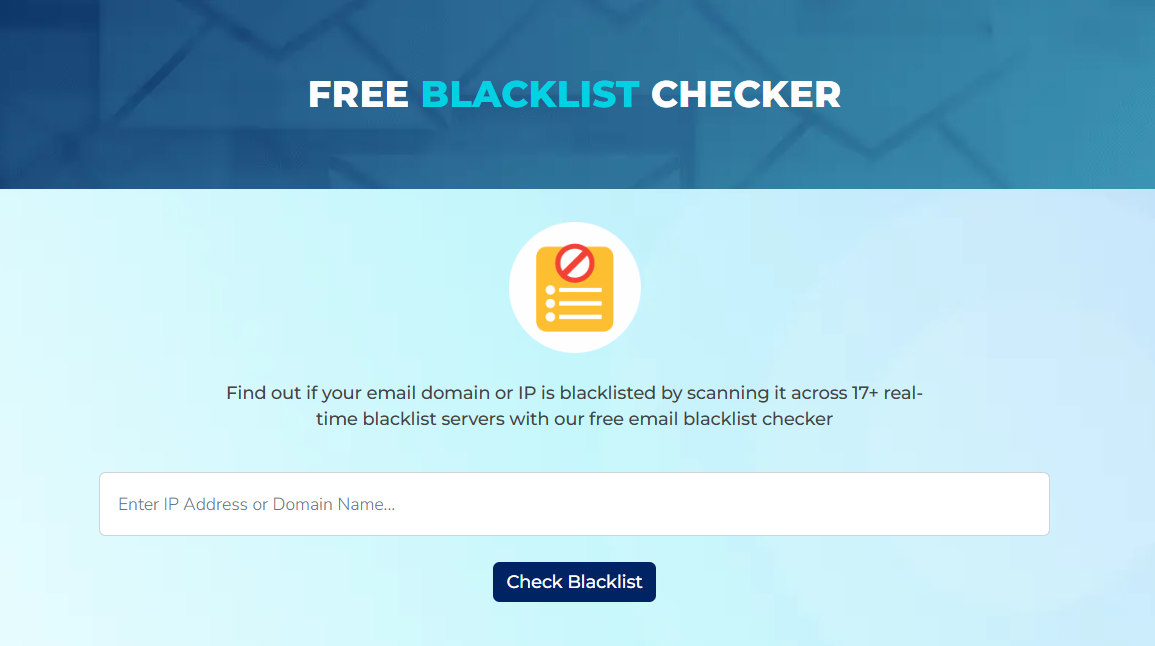
Go to the ExactVerify Blacklist Checker page.
●
Enter your domain (e.g., yourbrand.com) into the search bar.
●
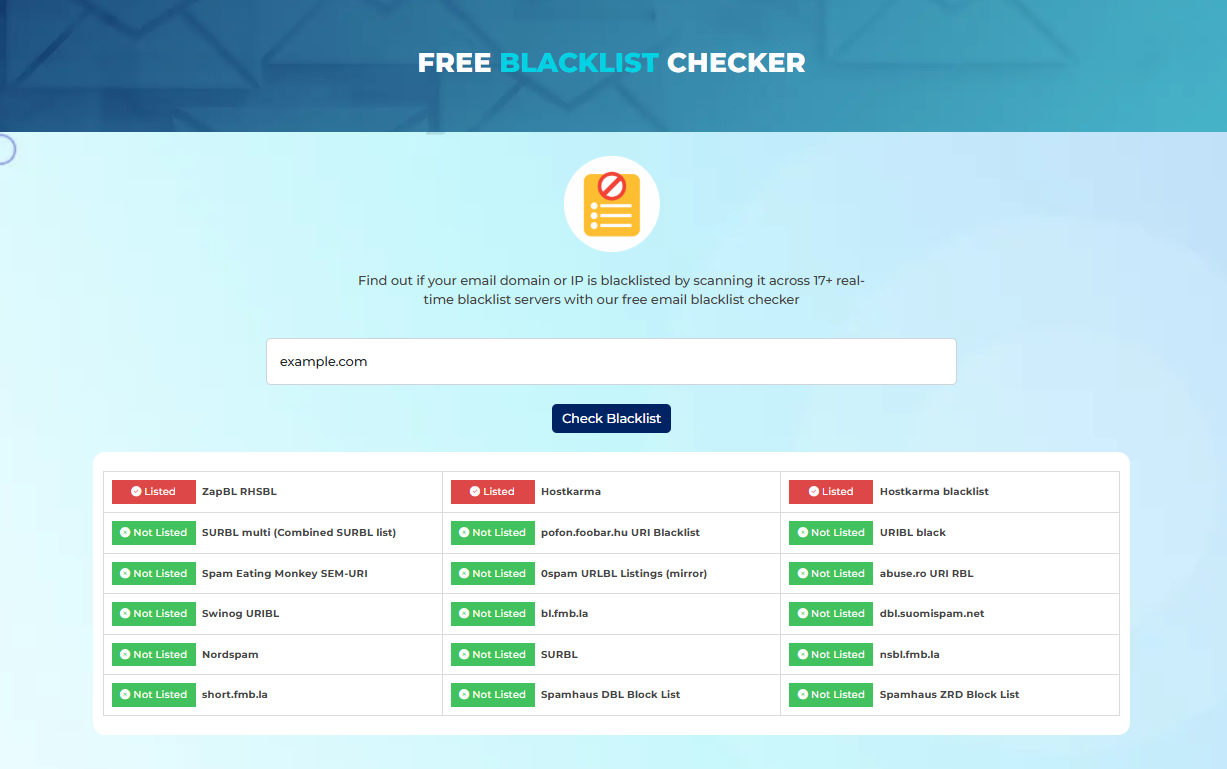
Click “Check Blacklist”. The tool scans multiple blacklists and shows:
- Listed: domain is flagged
- Not Listed: domain is clear
2. Diagnose and Resolve the Issue
Once blacklisting is confirmed, assess the factors contributing to the listing. Common causes include:
●
Sending bulk emails to unverified or purchased lists
●
High spam complaint rates
●
Malware, viruses, or compromised servers
Steps to resolve:
●
Clean your email list by removing invalid or temporary addresses using email validation tools.
●
Secure your domain and mail server against malware and phishing attacks.
●
Configure proper email authentication: SPF, DKIM, and DMARC.
●
Review email content to avoid spam-like language, poor formatting, or excessive links.
3. Request Blacklist Delisting
After identifying the issue, submit a removal request directly to the specific blacklist provider. Each provider has its own delisting process, which typically involves visiting their official website and following their delisting guidelines. For example:
●
Microsoft: offers a delisting portal at sender.office.com where you can enter your IP address and email to request removal.
●
Spamhaus: offers a delisting portal at check.spamhaus.org allowing you to check your IP's status and request removal.
It's essential to provide accurate information and demonstrate the corrective actions you've taken to address the issues that led to the blacklisting.
ExactVerify's Blacklist Checker can assist in identifying which blacklists your domain is listed on. Once your domain has been listed with the specific blacklists, you can visit their respective websites to submit a delisting request. Remember, delisting processes can vary in duration, so it's important to monitor your domain's status and follow up as needed.
4. Ongoing Blacklist Monitoring
Regular monitoring is essential to preventing your domain from being relisted and maintaining high email deliverability rate. Focus on the following practices:
⭐
Run periodic scans with a blacklist checker
⭐
Track engagement (opens, clicks, complaints)
⭐
Keep your lists clean and validated
⭐
Maintain consistent sending patterns to avoid triggering spam filters
These practices maintain your domain’s reputation, protect inbox placement, and prevent future blacklisting.
Bottom Line
Your sender reputation is one of your most valuable digital assets, and being listed on a domain blacklist can silently destroy it. Without regular checks, you could lose inbox visibility, conversions, and customer trust.
Using a domain blacklist checker provides the insight and protection needed to run successful campaigns.
Start Your Free Blacklist Monitoring to Protect Deliverability and Sender Reputation
Frequently Asked Questions (FAQs) on Domain Blacklist Checker
1. What is a domain blacklist in email marketing?
A domain blacklist is a database managed by anti-spam organizations that identifies domains or IP addresses associated with sending spam, phishing, or other malicious emails. When a domain is listed, incoming emails from that domain are flagged, filtered to the spam folder, or blocked entirely, which can negatively affect email deliverability and sender reputation.
2. How do I know if my domain is blacklisted?
Use the ExactVerify Blacklist Checker to scan real-time blacklists (DNSBLs and RBLs) that track domains and IPs flagged for spam or malicious activity. This shows your domain’s status and helps protect email deliverability.
3. Will blacklisting affect all my emails?
Yes. Even legitimate emails may be blocked or marked as spam.
4. How do I remove my domain from a blacklist?
Follow the delisting process for each blacklist and address the underlying issues (e.g., spam complaints, poor authentication).
5. How often should I check for blacklisting?
Check weekly or before major campaigns. Regular checks prevent surprises and improve deliverability.