
There’s a point where choosing an email marketing tool stops being optional and becomes a critical business decision. Studies show that email marketing delivers an average ROI of $36 for every $1 spent, making the choice of the right platform essensial. At the same time, businesses using marketing automation platforms see up to a 14.5% increase in sales productivity and a 12.2% reduction in marketing overhead, highlighting the limitations of manual email sending.
In 2026, sending emails alone isn’t enough. You need to deliver relevant, personalized experiences that actually drive results. With dozens of tools offering automation, AI-driven personalization, and advanced analytics, the market is more crowded than ever. But not every platform delivers on its promises. The wrong choice can lead to poor deliverability, wasted budget, and missed revenue opportunities.
That’s why this guide goes beyond a simple list based on what truly matters today: deliverability, ease of use, scalability, integrations, and real user feedback, so you can make a confident, informed decision.
Whether you’re a startup, an eCommerce brand, or a growing business, this guide will help you choose the best email marketing software that aligns with your goals, not just industry hype.
TL;DR — Quick Comparison Table for Email Marketing Platforms
Use the table below to quickly compare the top email marketing platforms. It provides a clear, side-by-side view of features, pricing, and plans, making it easier to choose the right platform for your business needs.
|
Tool
|
Best For
|
Key Strength
|
Pricing
|
Free Plan / Trial
|
|---|---|---|---|---|
| ActiveCampaign | Complex marketing workflows | Advanced automation with deep customization | $15/month for 1 user, 1,000 contacts | Trial only — 14 days (No free plan) |
| HubSpot | Teams managing marketing + sales | Built-in CRM with unified customer data | $15/month for 1 user, 1,000 contacts | Yes — Free plan (up to 2000 emails/month) |
| Brevo | Budget-conscious businesses | Multi-channel campaigns (email, SMS, WhatsApp) | $9/month, up to 500 contacts | Yes — Free plan (100,000 contacts, 300 emails/day) |
| Mailchimp | Beginners starting email marketing | A User-friendly editor with strong integrations | $9/month for 3 users, 500 contacts | Yes — Free plan (250 contacts, 500 emails/month) |
| Klaviyo | E-commerce brands | Real-time data for highly targeted campaigns | $20/month for 500 contacts | Yes — Free plan (250 contacts, 500 emails/month) |
| Omnisend | E-commerce brands | Pre-built automation for sales-driven campaigns | $16/month for 1 user, 500 contacts | Yes — Free plan(1,000 contacts) |
| GetResponse | Marketers running complete campaigns | Built-in funnels and webinar hosting | $19/month for 1 user, 1000 contacts | Yes — Free plan(500 contacts for 14 days) |
| Kit | Creators & solopreneurs | Monetization through products & newsletters | $39/month for 1,000 contacts | Yes — Free plan (up to 10,000 subscribers, 12000 emails/month) |
| MailerLite | Small teams & startups | Simple interface with built-in landing pages | $39/month for 1,000 contacts | Yes — Free plan (up to 500 subscribers for 14 days) |
| Constant Contact | Event-based campaigns | Event tools with RSVP tracking | $12/month for 500 contacts | Trial only — 30 days (No free plan) |
| Sender | Small businesses, startups & ecommerce | Email & SMS marketing with a generous free plan | $7/month for 1,000 subscribers | Yes-Free plan (up to 2,500 subscribers, 15,000 emails/month) |
| Benchmark Email | Small businesses & marketers | AI-powered email marketing with an intuitive drag-and-drop builder | $16/month for 1,000 contacts | Yes — Free plan (up to 500 contacts, 2,500 emails/month) |
Selection Methodology: How We Evaluated the Best Email Marketing Tools
Choosing the right platform isn’t just about features. It’s about how well those features perform in real-world scenarios.
For this guide, we didn’t rely on a single source or vendor claims. Instead, we analyzed extensive data from product walkthroughs, expert reviews, platform documentation, and real user feedback to identify the best email marketing tools in 2026.
Our goal was simple: filter out the noise and highlight email marketing platforms that consistently deliver value across different business needs.
Here’s the framework we used to evaluate each email marketing software:
1. Cost & Value for Money
We compared pricing structures across different contact tiers to understand how costs scale especially for growing businesses using email marketing services.
2. Ease of Use
Based on user feedback and product demos, we assessed how intuitive each platform is, how quickly beginners can get started, and how easy it is to use an email marketing platform effectively.
3. Feature Depth
We evaluated core capabilities such as email builders, segmentation, and A/B testing to determine whether the platform meets expectations from modern email marketing software tools.
4. AI Capabilities
We analyzed how platforms position their AI features, distinguishing between basic automation and more advanced personalization within email automation software.
5. CRM & Automation
We looked at automation workflows, integration capabilities, and how well each platform fits into a broader marketing stack when choosing among email marketing platforms.
6. Reporting & Analytics
We reviewed how detailed the analytics are, especially whether the platform provides detailed insights and tracks conversions, not just basic metrics.
7. Support & Documentation
We considered user-reported experiences with customer support, onboarding resources, and overall accessibility when using these email marketing tools.
8. Deliverability & List Quality
We also considered how well platforms support deliverability, as performance depends not just on the tool but on the quality of your contact list, which is often validated using an email validation tool before campaigns.
1. ActiveCampaign: Advanced Automation for Complex Workflows
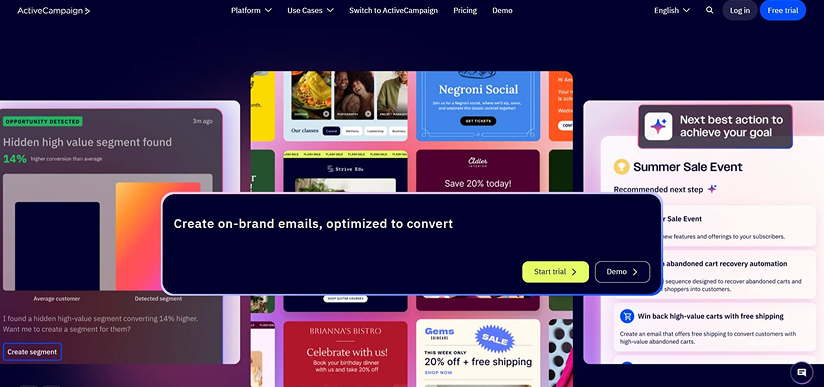
ActiveCampaign started as a simple email marketing tool in 2003 and gradually evolved into a full customer experience automation platform used by thousands of growing businesses today. It is widely recognized as a leading email marketing tool for businesses that need advanced automation. Research, user reviews, and testing show its powerful features with ease of use, offering a platform that handles complex marketing steps while keeping high engagement and reliable delivery. Its visual automation builder, AI-based personalization, CRM connections, and multi-channel options make it great for running campaigns for various business needs.
Who Should Use It:
Key Features:
- Visual Automation Builder: Helps create automated workflows based on user actions, such as email opens, clicks, or website visits.
- AI-Powered Personalization: Uses engagement data to send emails at the right time and improve targeting.
- Pre-Built Templates: Offers a wide range of email and landing page templates for quick campaign setup.
- Segmentation & Targeting: Segments contacts based on email activity, website visits, and customer data.
- Multi-Channel Marketing: Supports email, SMS, WhatsApp, social media, and website within a single platform.
- A/B Testing: Allows testing of subject lines, email content, and automation paths to improve performance.
- Automation Workflows: Includes pre-built workflows for use cases like lead nurturing and abandoned cart emails.
Pros:
- Powerful automation with high flexibility and control.
- Strong CRM integration and contact management tools.
- AI and predictive analytics improve engagement.
- Wide selection of templates and workflow options.
Cons:
- Steep learning curve for beginners due to advanced features.
- Higher pricing compared to entry-level platforms.
- Some users report occasional performance issues with large workflows.
ActiveCampaign Pricing:
- Starter Plan: $15/month for 1 user, with basic automation and segmentation.
- Plus Plan: $49/month for 1 user, adding CRM features, lead scoring, and more advanced automation.
- Pro Plan: $79/month for 3 users, unlocking advanced automation, AI features, and multi-channel marketing.
- Enterprise Plan: $145/month for 5 users, designed for larger businesses with advanced reporting, security features, and dedicated support
- Free Trial: 14-day trial that allows businesses to test core features, including automation, campaigns, and CRM tools, before committing to a paid plan.
Note: Ratings are based on current available data and may change over time as platforms update their reviews.
2. HubSpot: CRM-Focused Platform for Managing Customer Relationships
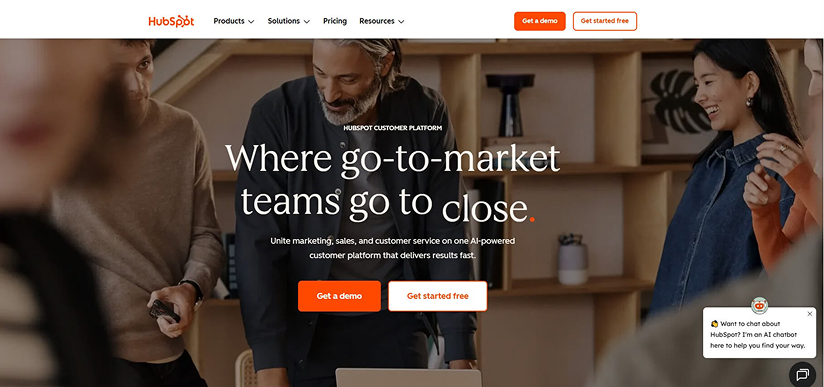
HubSpot was originally built as a CRM platform and has grown into a widely used system that brings together marketing, sales, and customer support tools in one place. It helps businesses manage customer relationships more efficiently by organizing data, tracking interactions, and improving team collaboration. With its structured approach to contact management, deal tracking, and multi-channel marketing, HubSpot offers a well-rounded solution for streamlining operations and supporting business growth.
Who Should Use It:
Small to mid-sized businesses, growing teams, and SaaS companies that want to manage marketing, sales, and customer relationships in one platform.
Key Features:
- All-in-One Platform: Combines marketing, sales, customer service, and content tools in a single system.
- Contact & Deal Management: Stores customer data in one place with a complete view of interactions and deal progress.
- Visual Sales Pipeline: Tracks deals across stages, making it easier to manage progress and follow-ups.
- Segmentation & Targeting: Groups contacts based on behavior, engagement, and customer data.
- Email Marketing & Automation: Supports campaigns, email tracking, and basic automation, with advanced workflows.
- Multi-Channel Tools: Run campaigns across email, social media, website, and ads from one platform.
- Reporting & Dashboards: Provides clear insights into contacts, deals, and team performance.
Pros:
- Easy-to-use interface, ideal for beginners and growing teams.
- Centralized system for managing contacts, deals, and interactions.
- Visual pipeline makes tracking and managing deals straightforward.
- Built-in email integration automatically organizes communication.
Cons:
- Advanced features are limited in lower-tier plans.
- Pricing can become expensive as businesses scale, especially with onboarding costs.
- Billing may automatically increase if contact limits are exceeded.
HubSpot Pricing:
- Free Plan: $0/month for up to 2 users, 300 emails/month, with basic CRM, email marketing, and reporting tools.
- Starter Plan: Starts at $15/month for 1 user, includes essential tools, 1,000 marketing contacts, and removes HubSpot branding.
- Professional Plan: $890/month (includes 3 users), offers advanced automation, reporting, and omni-channel campaign tools.
- Enterprise Plan: Starts at $3,600/month (includes 5 users), includes advanced automation, analytics, and governance features for large-scale operations.
Note: Ratings are based on current available data and may change over time as platforms update their reviews.
3. Brevo: Multi-Channel Marketing with Flexible Pricing
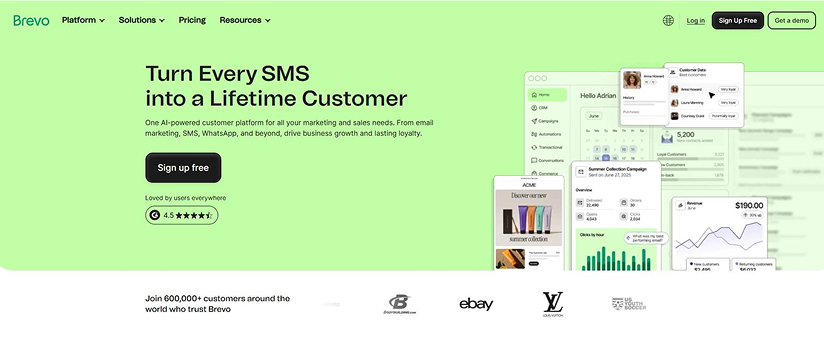
Brevo was introduced in 2012 under the name 'Sendinblue' and rebranded to Brevo in 2023 to reflect its shift from email marketing alone to a full multi-channel communication platform. Since then, it has grown into an all-in-one communication platform that helps businesses manage customer engagement across multiple channels from a single dashboard. It brings together email marketing, SMS, WhatsApp messaging, automation, and lightweight CRM features, making it a practical choice for growing teams. Its intuitive interface, combined with automation workflows and audience segmentation, allows users to create and manage targeted campaigns with minimal complexity.
Who Should Use It:
Small businesses, startups, and growing teams that want an affordable platform to manage email and multi-channel marketing from one place.
Key Features:
- Email Campaign Builder: Build emails with a drag-and-drop editor and customize templates and branding.
- Segmentation & Personalization: Target users based on email opens, clicks, and website interactions.
- Marketing Automation: Set up workflows for welcome emails, follow-ups, and behavior-based triggers.
- Multi-Channel Marketing: Launch campaigns via email, SMS, WhatsApp, push notifications, and live chat.
- Transactional Emails: Send order confirmations, account updates, and other automated messages alongside marketing campaigns.
- Transactional Emails: Send order confirmations, account updates, and other automated messages alongside marketing campaigns.
- A/B Testing & Send Time Optimization: Test different email versions and schedule them to reach subscribers at the best time.
- Analytics & Reporting: Track performance with insights like open rates, clicks, and detailed reports.
Pros:
- Easy-to-use interface, ideal for beginners and small teams.
- More affordable compared to other email marketing platforms.
- Supports multiple channels like SMS, WhatsApp, and live chat in one platform.
Cons:
- May lack some advanced features found in enterprise-level tools.
- Email template library could feel limited for users seeking more variety.
Brevo Pricing:
- Free Plan: Free forever plan, allows up to 300 emails/day and manages up to 100,000 contacts.
- Starter Plan: Starts at $9 per month, includes 5,000 emails/month with core email marketing features.
- Standard Plan: Starts at $18 per month, adds automation, A/B testing, landing pages, and advanced reporting.
- Professional Plan: Starts at $499 permonth, includes higher email volumes, multi-user access, advanced automation, and AI features.
- Enterprise Plan: Custom pricing for large businesses with advanced integrations, security, and dedicated support.
4. Mailchimp — Streamlined Marketing with Flexible Tools
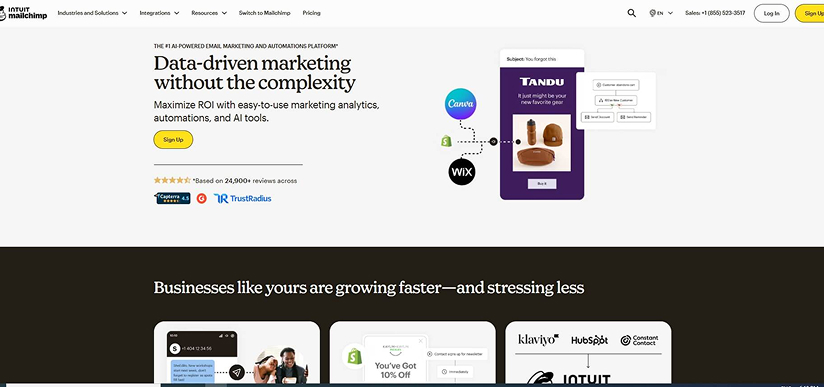
Originally launched in 2001 by a web design agency, Mailchimp was built to help small businesses send email newsletters and later grew into a global email marketing platform. It has since evolved into a user-friendly marketing tool that simplifies campaign creation for businesses of all sizes. Mailchimp offers marketers a streamlined platform for quickly crafting email campaigns with its drag-and-drop editor and custom email templates. It also helps grow audiences with landing pages, pop-up forms, and subscriber management tools, while integrating with social media platforms to sync data and track performance.
Its reporting and analytics provide clear insights, helping businesses refine campaigns, measure results, and improve engagement without complicated setups.
Who Should Use It:
Small to mid-sized businesses and solo marketers seeking an easy-to-use platform with strong reporting, integration options, and flexible marketing tools.
Key Features:
- Email Campaign Builder: Create emails using a drag-and-drop editor or upload your own HTML designs for full control over layout and styling.
- Landing Pages & Forms: Design landing pages and pop-up forms to collect subscriber details and grow your email list.
- Segmentation & Personalization: Organize contacts by behavior (e.g., opens and clicks), and send personalized emails, including product recommendations, to e-commerce users.
- Marketing Automation: Set up automated email sequences such as welcome emails, abandoned cart reminders, and re-engagement campaigns.
- Multi-Channel Marketing: Create and manage campaigns across email, social media, and other channels, while tracking performance across all channels.
- Analytics & Reporting: Monitor performance using metrics such as open rates, click rates, conversions, and audience insights, with Google Analytics integration.
- Integrations: Connect Mailchimp with tools like e-commerce platforms, website builders, and social media apps to sync data and streamline workflows
Pros:
- Easy-to-use drag-and-drop editor and professional templates.
- Extensive integrations for websites, e-commerce, and social media.
- Comprehensive reporting and analytics for better campaign decisions.
- Automation workflows simplify email marketing processes.
Cons:
- Pricing increases quickly as contact lists grow, including unsubscribed contacts.
- Some features are slightly hidden in the interface, which can confuse new users.
- A/B testing for forms and landing pages is available only on higher-tier plans.
Mailchimp Pricing:
- Free Plan: $0/month, includes up to 250 contacts for 1 user with limited features.
- Essentials Plan: Starts at $9/month for up to 3 users, includes email templates, scheduling, and core features.
- Standard Plan: Starts at $13/month for up to 5 users, includes automation, personalization, and optimization tools.
- Premium Plan: Starts at $247/month, includes advanced features, unlimited contacts, and priority support.
5. Klaviyo — Data-Driven Marketing for E-commerce Growth
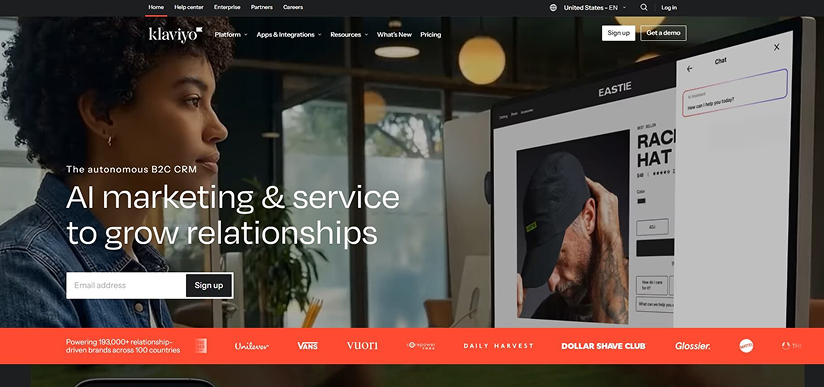
Klaviyo is widely used by e-commerce brands and integrates with platforms like Shopify, WooCommerce, BigCommerce, and Magento, making it a strong choice for businesses that rely on customer data to drive sales. Built with a data-first approach, it is designed for brands that want to use real-time insights to power highly personalized email and SMS marketing. By leveraging purchase behavior, browsing activity, and customer interactions, it helps businesses create targeted campaigns and automate the entire customer lifecycle. With deep integrations and strong reporting capabilities, it enables marketers to optimize performance and scale efficiently as their business grows.
Who Should Use It:
E-commerce businesses, online stores, and growth-focused marketers are looking for advanced automation, deep customer insights, and revenue-focused campaigns.
Key Features:
- Email & SMS Campaign Builder: Create campaigns using a drag-and-drop editor with customizable templates, dynamic content, and product recommendations.
- E-commerce Integrations: Seamlessly integrates with platforms like Shopify, WooCommerce, BigCommerce, and Magento, with real-time data syncing.
- Customer Profiles & Data Platform: Stores all customer interactions, purchase history, and behavior in unified profiles for deeper insights.
- Advanced Segmentation: Segment audiences based on behavior, purchase activity, engagement, location, and custom metrics.
- Marketing Automation: Build automated flows such as welcome series, abandoned cart recovery, post-purchase follow-ups, replenishment, and win-back campaigns.
- Predictive Analytics: Uses AI to estimate customer lifetime value, churn risk, and future purchase behavior.
- Analytics & Reporting: Track revenue attribution, campaign performance, ROI, and engagement with detailed reporting dashboards.
- Deliverability Optimization: Tools to maintain list hygiene and improve inbox placement for large-scale campaigns.
Pros:
- Deep integration with e-commerce platforms and real-time data syncing.
- Advanced segmentation, personalization, and automation capabilities.
- Strong analytics with clear revenue attribution and performance insights.
- Unified customer data enables more targeted and effective campaigns.
Cons:
- It can be complex for beginners or non-ecommerce users.
- Prices go up when you add more contacts, but they don’t automatically go down when you remove contacts. You have to contact the support team to make changes.
- Limited support for broader marketing channels, like social media or website building.
- Not ideal for businesses needing highly complex enterprise-level data models.
Klaviyo Pricing:
- Free Plan: $0/month; includes up to 250 profiles, 500 email sends/month, and limited SMS credits.
- Paid Plans: Start at approximately $20/month for up to 500 contacts, with pricing increasing based on the number of active profiles.
- Pricing Model: Scales with the number of contacts (profiles) and usage, with additional costs for SMS credits and higher tiers.
6. Omnisend — E-commerce Automation for Consistent Revenue
Omnisend began as an email marketing tool called Soundest in 2014 in Lithuania and later expanded its capabilities to better support e-commerce businesses. Today, it is widely used by online stores to manage customer communication and run revenue-focused campaigns.
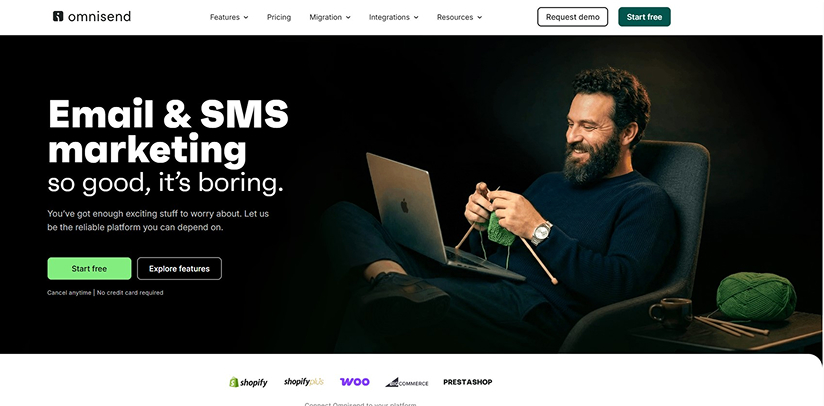
Built with e-commerce in mind, it helps businesses turn email marketing into a reliable revenue channel. It combines email, SMS, and push notifications into a single platform, enabling brands to manage the entire customer journey without relying on multiple tools. With a strong focus on automation and performance, it helps businesses engage customers, recover lost sales, and drive repeat purchases efficiently.
Who Should Use It:
E-commerce brands, online retailers, and growing stores are looking for an easy-to-use platform with strong automation and multi-channel marketing capabilities.
Key Features:
- Email, SMS & Push Campaigns: Create and manage campaigns across multiple channels from a single platform.
- E-commerce Integrations: Integrates with platforms such as Wordpress, big commerce, Shopify and WooCommerce for quick setup and data synchronization.
- Marketing Automation: Set up workflows such as welcome emails, abandoned cart recovery, browse abandonment, and win-back campaigns.
- Pre-built Templates & Workflows: Use ready-made templates and automation flows with optimized timing to launch campaigns faster.
- Segmentation & Targeting: Segment customers based on behavior, purchase history, and engagement for more relevant messaging.
- Lead Capture Tools: Create pop-ups, landing pages, and embedded forms to grow your subscriber list.
- Dynamic Content & Personalization: Add product recommendations and personalized content based on customer activity.
- Analytics & Reporting: Track performance with metrics like open rates, clicks, and revenue generated from campaigns.
Pros:
- Strong focus on e-commerce automation and revenue generation.
- Supports multiple channels (email, SMS, push notifications) on a single platform.
- Easy to use with pre-built workflows and templates.
- High ROI potential with automated revenue-driving campaigns.
Cons:
- Some advanced features may be limited for businesses needing detailed automation, personalization, and segmentation.
- Pricing can increase as your contact list grows, with additional SMS costs, especially for international campaigns.
- Customization options and the email editor can feel restrictive.
- Reporting and analytics capabilities are relatively basic.
Omnisend Pricing:
- Free Plan: $0/month; up to 250 contacts and 500 emails per month, with basic features.
- Standard Plan: Starts at $16/month; you can send more emails as your contact list grows, and it includes automation and support.
- Pro Plan: Starts at $59/month; includes unlimited emails, SMS credits, and advanced features.
- Pricing Model: You only pay for active contacts. Unsubscribed contacts are not charged.
7. GetResponse — All-in-One Marketing Platform with Automation & Webinars
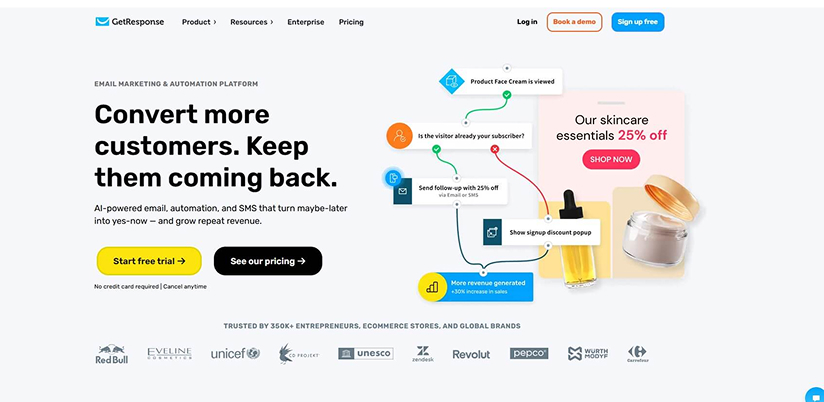
GetResponse was founded in 1997 as a simple autoresponder and has since evolved into a comprehensive marketing platform. Today, it combines email marketing, automation, landing pages, and webinar hosting in one tool, helping businesses manage communication and run campaigns without multiple platforms.
With built-in automation and conversion funnels, it helps capture and nurture leads while improving engagement. The platform has also expanded with features like website building, AI-powered recommendations, and ecommerce automation.
Users on Reddit mention that GetResponse simplifies workflows by reducing the need for multiple tools, making it a convenient all-in-one solution.
Who Should Use It:
Small to mid-sized businesses, digital marketers, and creators looking for an all-in-one platform to manage email marketing, automation, and lead generation.
Key Features:
- Email Marketing & Campaign Builder: Create newsletters using a drag-and-drop editor with customizable templates and automated responses.
- Marketing Automation: Build workflows based on user behavior, such as email opens, clicks, and website activity, to automate follow-ups and engagement.
- Landing Pages & Conversion Funnels: Design landing pages and sales funnels to capture leads and guide users through the customer journey.
- Webinar Hosting: Host live and on-demand webinars directly within the platform to engage audiences and generate leads.
- Segmentation & Behavioral Targeting: Segment contacts by actions such as purchases, page visits, and engagement to deliver more relevant communication.
- AI-Powered Tools: Optimize subject lines, send times, and campaign performance using built-in AI features.
- Multi-Channel Marketing: Manage email campaigns, basic social media scheduling, and customer communication from one platform.
- Analytics & Reporting: Track campaign performance with insights into opens, clicks, engagement, and conversions.
Pros:
- All-in-one platform combining email, automation, funnels, and webinars.
- Strong automation and behavioral targeting capabilities.
- Built-in webinar feature (not commonly available in most tools).
- Helps manage marketing workflows without multiple tools.
Cons:
- New users may require time to fully understand and implement the platform’s automation features.
- When you exceed contact or usage limits, your account is automatically upgraded to the next pricing tier instead of being charged per email.
- Customization options are limited for users who need more advanced campaign and workflow control.
GetResponse Pricing:
- Free Plan: $0/month, supports up to 500 contacts with limited features for basic email marketing.
- Email Marketing Plan: Starts at $19/month and includes unlimited emails, autoresponders, and essential marketing tools.
- Marketing Automation Plan: Starts at $59/month, adds advanced automation workflows, segmentation, and event-based triggers.
- Creator Plan: Starts at $69/month, includes webinars, course creation tools, and monetization features for content creators.
- Enterprise Plan: Custom pricing designed for large businesses with advanced needs, dedicated support, and higher scalability.
8. Kit — Creator-Focused Email Marketing with Built-in Monetization
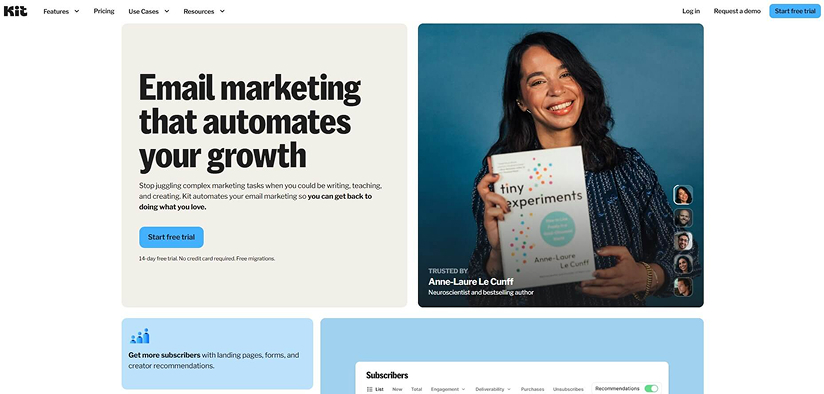
Kit, formerly known as ConvertKit, was renamed to focus on creators and is widely used by bloggers, YouTubers, and course sellers. Kit is designed for small businesses and individuals who want to grow, engage, and monetize their audience through email marketing. It offers a simple platform for managing subscribers, creating campaigns, and selling digital products. With a strong focus on simplicity and monetization, Kit helps turn audience engagement into a consistent revenue stream.
Who Should Use It:
Content creators, bloggers, educators, and small businesses are looking to build and monetize their email audience without relying on multiple tools.
Key Features:
- Email Campaign Builder: Create emails with a simplified, block-style editor that differs from traditional drag-and-drop builders, supporting content types such as images, buttons, and polls.
- Audience Segmentation & Tagging: Organize subscribers using flexible tags and segments based on actions such as opens, clicks, and purchases.
- Visual Automation Builder: Build automated email sequences triggered by user behavior, such as sign-ups or purchases.
- Landing Pages & Forms: Create landing pages, pop-ups, and embedded forms to capture leads and grow your audience.
- Monetization Tools: Sell digital products, offer paid newsletters, and earn through creator recommendations directly within the platform.
- Integrations: Connect with tools like Shopify, Canva, and other platforms to streamline workflows.
- Analytics & Reporting: Track performance through metrics like open rates, clicks, and engagement insights.
Pros:
- Strong focus on creator monetization (digital products and paid newsletters).
- Flexible tagging and segmentation for targeted communication.
Cons:
- Automation and reporting capabilities are less advanced than those of more feature-rich platforms.
- Design flexibility is limited when maintaining consistent styling across emails and pages.
- Pricing increases significantly as your subscriber base grows.
Kit Pricing:
- Newsletter Plan (Free): $0/month, supports up to 10,000 subscribers with basic email features, forms, and limited automation.
- Creator Plan: Starts at $39/month, which includes automation workflows, email sequences, A/B testing, and integrations for up to 1,000 subscribers.
- Pro Plan: Starts at $79/month and includes advanced reporting, engagement tracking, and an insight dashboard.
- Pricing Model: Scales based on the number of subscribers, with higher costs as your audience grows.
9. MailerLite — Simple & Affordable Email Marketing for Growing Businesses
MailerLite was launched in 2010 and has grown into a simple, budget-friendly email marketing tool used by many small and growing businesses. It is especially popular among beginners because of its easy setup and clean interface, making it easier to get started with email campaigns.
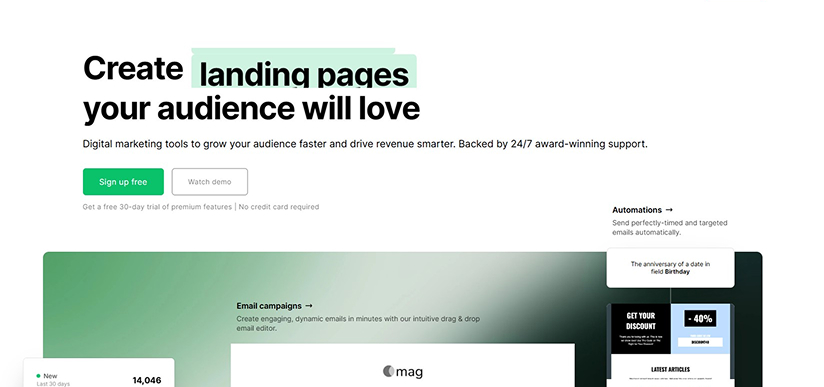
MailerLite combines email campaigns, automation, landing pages, and lead generation tools in a single system. It allows businesses to manage subscriber communication, build email lists, and run campaigns without relying on multiple tools. With a focus on ease of use, it provides a straightforward way to create, automate, and track campaigns while covering the essential marketing needs.
Who Should Use It:
Small businesses, startups, and creators are looking for an easy-to-use and budget-friendly email marketing platform with essential automation and growth tools.
Key Features:
- Email Campaign Builder: Create emails with a clean drag-and-drop editor, reusable content blocks, and flexible design options.
- Marketing Automation: Build workflows triggered by events such as form submissions or link clicks, with A/B testing within sequences.
- Landing Pages & Website Builder: Create landing pages or even full websites using the same intuitive editor.
- Forms & Lead Capture: Design pop-ups, embedded forms, and promotional forms to grow your email list.
- Segmentation & Tagging: Organize subscribers using tags and groups for more targeted campaigns.
- Digital Product Selling: Sell digital products and paid newsletters directly within the platform.
- Integrations: Connect with platforms like Zaiper, Canva, Shopify and other tools to support e-commerce workflows.
- Analytics & Reporting: Track performance with metrics like open rates and engagement, along with basic reporting insights.
Pros:
- Easy-to-use interface, making it simple to create and launch campaigns without a steep learning curve.
- Covers email, landing pages, forms, and basic website building in one platform, reducing the need for extra tools.
- Strong deliverability helps emails reach inboxes more reliably.
Cons:
- Limited advanced automation, which may not suit complex marketing workflows.
- Basic reporting and analytics, with fewer insights compared to advanced tools.
- No built-in CRM features, making it less suitable for managing sales pipelines.
- Limited support and no migration help, requiring users to handle setup themselves.
MailerLite Pricing:
- Free Plan: $0/month, supports up to 500 subscribers with 12,000 monthly emails, drag-and-drop editor, automation builder, forms, and landing pages (limited).
- Growing Business Plan: Starts at $10/month for 500 subscribers, includes unlimited emails, access to templates, landing pages, websites, A/B testing, and 24/7 email support.
- Advanced Plan: Starts at $20/month for 500 subscribers, includes all features from the Growing Business plan, plus enhanced automation, AI writing assistant, smart sending, and 24/7 live chat support.
- Pricing Model: Pricing depends on the number of subscribers, with higher plans including more features and support.
10. Constant Contact — Basic Email Marketing with Event Tools
Small businesses use Constant Contact to manage email campaigns and event communication with ease. It has been supporting businesses since 1995 and is commonly used for local events, workshops, and regular customer updates. In June 2025, Constant Contact acquired Moosend, expanding its email marketing and automation portfolio while strengthening its presence in international markets.
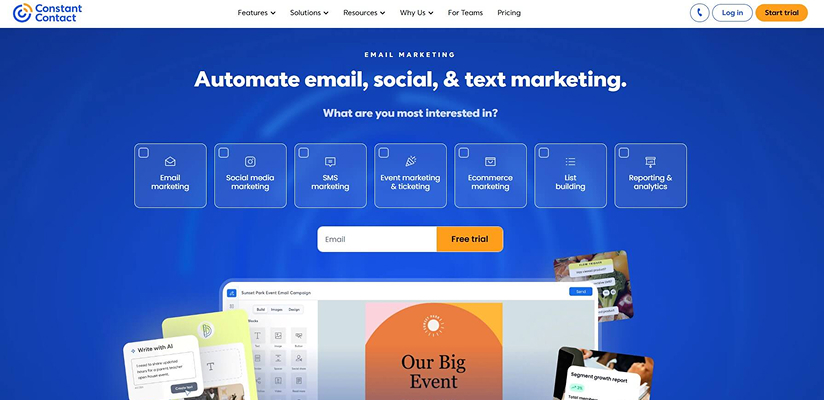
It offers essential features such as campaign creation, contact management, and basic automation. Businesses can create and send emails, organize subscribers, and manage campaigns without much complexity. It also includes tools for event invitations and RSVP tracking (e.g., yes/no responses), making it useful for event-based campaigns.
Who Should Use It:
Small businesses, organizations, and teams looking to manage email campaigns and event-based promotions from a single platform.
Key Features:
- Email Campaign Builder: Create emails using a drag-and-drop editor with standard content blocks.
- Segmentation & Contact Management: Organize subscribers based on engagement and activity for targeted campaigns.
- Basic Automation: Set up simple workflows like welcome emails and follow-ups, with more options in higher plans.
- Event & RSVP Tools: Create event invitations and track responses (tracking responses like yes/no for an event).
- Multi-Channel Marketing: Manage email, social media posting, and basic SMS marketing from one platform.
- Integrations: Connects with tools like WordPress, Shopify, and Stripe.
- Reporting & Analytics: Track campaign performance with metrics like opens, clicks, and engagement.
Pros:
- Easy-to-use interface that helps beginners quickly create and manage email campaigns.
- Includes event features like invitations and RSVP tracking, making it useful for webinars and promotions.
- Supports email and social media together, allowing businesses to manage communication.
- Offers phone and chat support for quick assistance to customers.
Cons:
- Automation features are basic and may not support detailed workflows or advanced user-behavior-based targeting.
- Design and customization options are limited, making it harder to create customized campaigns.
- Landing pages and forms are simple with fewer options for testing and optimization.
- When you exceed contact or usage limits, your account is automatically upgraded to the next pricing tier instead of being charged per email.
Constant Contact Pricing:
- Lite Plan: Starts at $12/month for up to 500 contacts, includes basic email marketing, social media posting, and limited automation.
- Standard Plan: Starts at $35/month for up to 500 contacts, adds automation features, A/B testing, and improved reporting.
- Premium Plan: Starts at $80/month for up to 500 contacts, includes advanced automation, segmentation, and priority support.
- Pricing Model: Based on the number of contacts, with higher plans offering more advanced features and automation capabilities.
Note: Ratings are based on current available data and may change over time as platforms update their reviews.
11. Sender: Feature-Rich Email Marketing with a Generous Free Plan
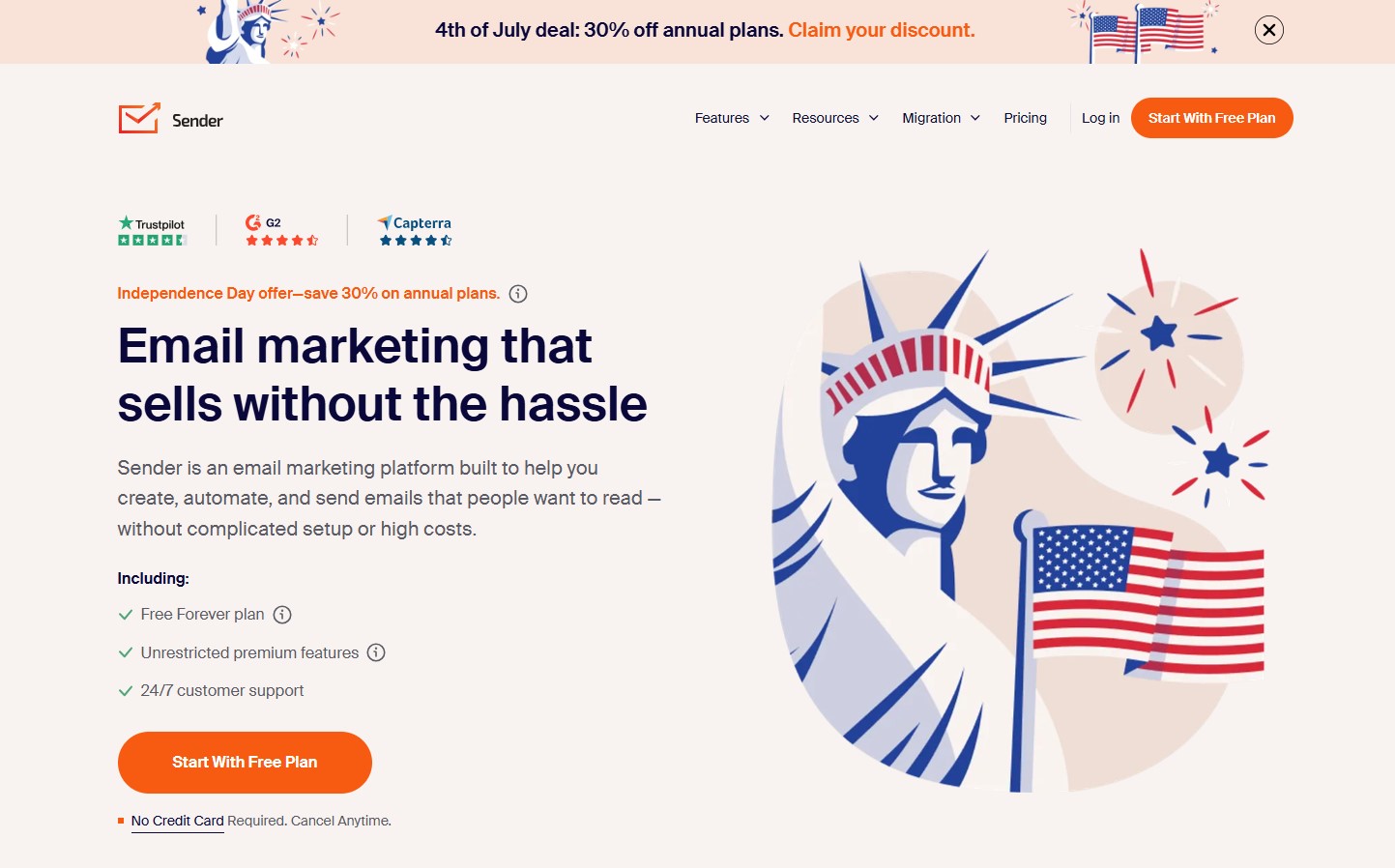
Sender is an email and SMS marketing platform designed to help businesses create, automate, and optimize customer communication from a single platform. It is widely recognized for offering one of the most generous free plans in the email marketing industry, making it a popular choice for small businesses, startups, ecommerce stores, and growing marketing teams.
The platform enables businesses to design professional email campaigns, automate customer journeys, capture new subscribers through built-in signup forms and pop-ups, and monitor campaign performance with detailed analytics. By combining email marketing, SMS campaigns, audience management, and automation into a single solution, Sender helps businesses engage customers while keeping marketing costs under control.
Who Should Use It:
Small businesses, startups, ecommerce businesses, bloggers, and marketers looking for an affordable email marketing platform with built-in SMS marketing and a generous free plan.
Key Features:
- Drag-and-Drop Email Editor: Design responsive email campaigns using customizable templates and an intuitive drag-and-drop editor without requiring coding knowledge.
- Marketing Automation: Automate welcome emails, abandoned cart reminders, follow-up sequences, birthday emails, and other customer journeys based on subscriber actions and predefined triggers.
- Email & SMS Marketing: Manage both email and SMS campaigns from a single platform, allowing businesses to communicate with customers across multiple channels.
- Signup Forms & Pop-ups: Create embedded signup forms, pop-up forms, and spin-to-win forms to capture new subscribers. The platform also supports custom fields, double opt-in, and GDPR-ready consent options for effective lead generation.
- Audience Segmentation: Organize subscribers based on engagement, purchase behavior, custom fields, and other criteria to deliver more personalized email campaigns.
- Analytics & Reporting: Monitor campaign performance with detailed insights into email opens, clicks, unsubscribes, conversions, and overall subscriber engagement.
- Integrations: Connect with Shopify, WooCommerce, WordPress, Zapier, and other business applications to streamline marketing workflows.
Pros:
- Generous free plan suitable for growing businesses.
- Supports both email and SMS marketing from a single platform.
- Easy-to-use interface suitable for beginners.
- Good automation and audience segmentation capabilities.
Cons:
- Does not include a built-in CRM.
- The template library offers fewer design options for businesses looking for extensive customization.
- Advanced enterprise-level marketing features are limited.
Sender Pricing:
- Free Plan: Free forever plan supporting up to 2,500 subscribers and 15,000 emails per month, including email campaigns, automation, signup forms, pop-ups, and reporting.
- Standard Plan: Starts at approximately $7/month, offering higher sending limits, advanced automation, premium features, and priority support.
- Professional Plan: Starts at approximately $14/month, providing increased subscriber and email sending limits along with additional features for growing businesses with larger marketing requirements.
- Enterprise Plan: Custom pricing with unlimited emails, dedicated support, advanced user management, security features, and enterprise-level capabilities.
- Pricing Model: Pricing is based on the number of subscribers, allowing businesses to scale as their audience grows.
Note: Ratings are based on current available data and may change over time as platforms update their reviews.
12. Benchmark Email: Simple Email Marketing with AI-Powered Campaign Creation
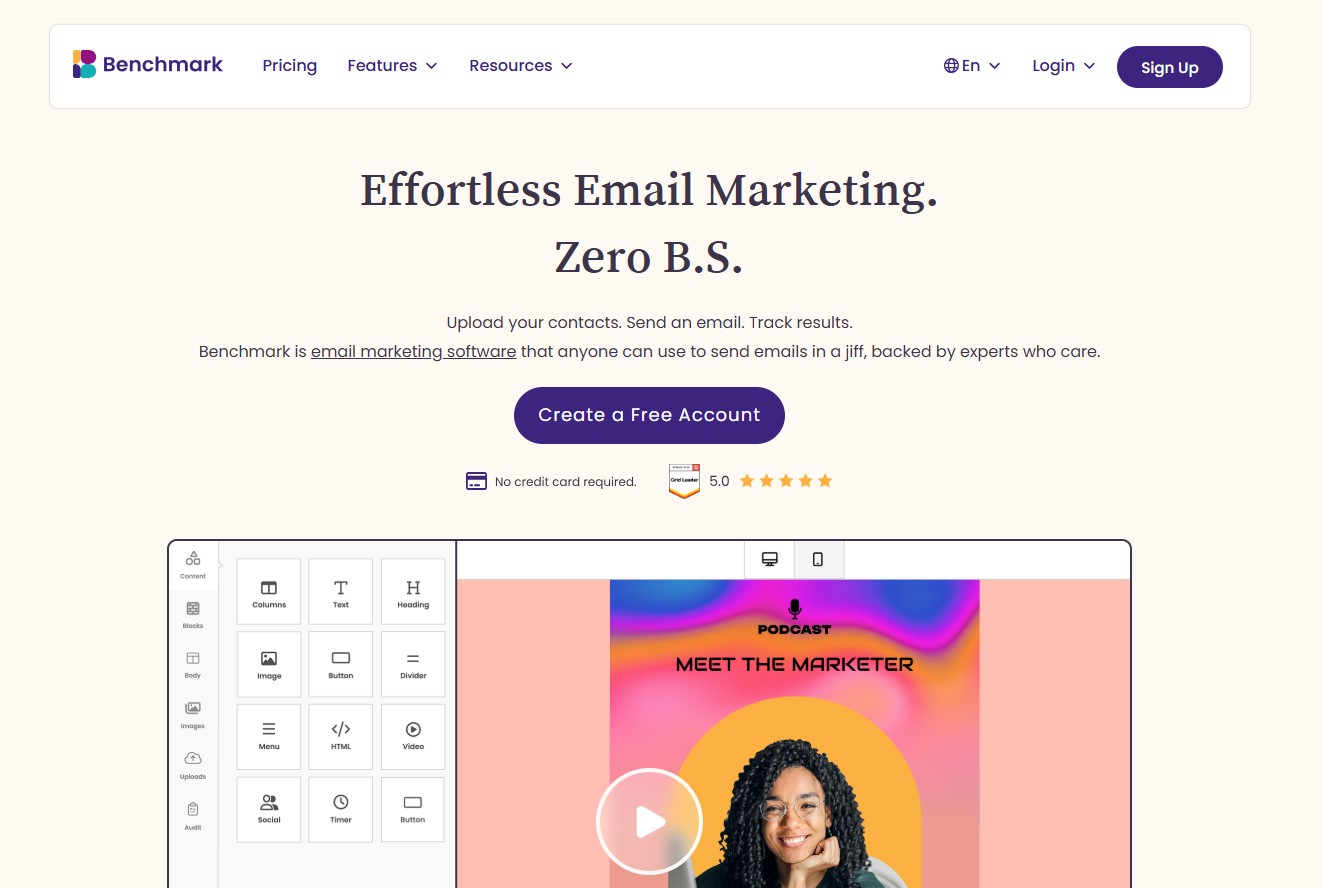
Benchmark Email has become a popular choice for businesses looking for a simple and intuitive email marketing platform. It combines email campaign creation, marketing automation, contact management, and AI-powered tools into a single solution, helping businesses engage subscribers and manage email marketing more efficiently.
The platform also includes signup forms, audience segmentation, personalization, landing pages, and detailed reporting, allowing businesses to grow their subscriber lists, automate customer communication, and optimize campaign performance from one place.
Who Should Use It:
Small businesses, ecommerce businesses, and marketers looking for an easy-to-use email marketing platform with AI-powered tools and marketing automation.
Key Features:
- Drag-and-Drop Email Builder: Design responsive email campaigns using professionally designed templates and an intuitive drag-and-drop editor without requiring coding knowledge.
- Marketing Automation: Create automated email workflows to send welcome emails, follow-ups, abandoned cart emails, and other personalized campaigns based on subscriber actions.
- AI-Powered Tools: Generate email copy, subject lines, and AI-generated images, while also improving grammar, rewriting content, and adjusting tone directly within the email editor.
- Landing Pages & Signup Forms: Build customizable landing pages and signup forms to capture leads, grow your subscriber list, and collect customer information.
- Contact Management & Segmentation: Organize subscribers using lists, tags, custom fields, and audience segmentation to deliver more personalized and targeted email campaigns.
- Email Personalization: Personalize email content using subscriber data and dynamic fields to create more relevant customer experiences.
- A/B Testing: Test different subject lines and email content to identify the highest-performing campaigns before sending them to your audience.
- Reporting & Analytics: Monitor campaign performance with detailed insights into email opens, clicks, bounces, subscriber activity, and engagement.
- Integrations: Connect with Shopify, WordPress, Salesforce, Zapier, Microsoft Teams, Google Analytics, and other business applications to streamline marketing workflows.
Pros:
- Easy-to-use interface suitable for beginners.
- AI-powered tools simplify email content creation.
- Built-in landing pages and signup forms for lead generation.
- Good contact management, segmentation, and campaign reporting.
Cons:
- Advanced automation features are available only on paid plans.
- The Free plan supports only one user and one sending domain.
- Some advanced account management features are limited to higher-tier plans.
Benchmark Email Pricing:
- Free Plan: Supports up to 500 contacts and 2,500 emails per month, including email marketing, signup forms, contact management, and reporting.
- Pro Plan: Starts at approximately $16/month, offering higher contact and email sending limits, marketing automation, AI-powered tools, multiple sending domains, and additional user support.
- Enterprise Plan: Custom pricing for businesses with 100,000+ contacts, including scalable contact limits, enterprise support, and advanced account management.
- Pricing Model: Pricing is based on the number of contacts.
Note: Ratings are based on current available data and may change over time as platforms update their reviews.
Bottom Line
Choosing the right email marketing platform in 2026 ultimately comes down to how well it fits your business goals, not just the number of features it offers.
If your focus is advanced automation and scalability, ActiveCampaign stands out, while Klaviyo is best suited for eCommerce businesses. For businesses seeking a complete ecosystem combining CRM and marketing, HubSpot offers a more integrated approach.
If affordability and simplicity matter most, platforms like MailerLite and Brevo provide strong value without overwhelming complexity. E-commerce brands looking to drive revenue through automation will benefit more from Omnisend, while creators and solo businesses may find Kit better aligned with monetization needs.
For businesses that prefer a balanced, all-purpose solution, Mailchimp and GetResponse offer a mix of usability and functionality. Meanwhile, Constant Contact remains a practical choice for those focused on basic campaigns and event-based marketing.
Businesses looking for a generous free plan with built-in email and SMS marketing can consider Sender, while Benchmark Email is a strong choice for teams seeking an easy-to-use platform with AI-powered campaign creation and automation.
There’s no single “best” tool, only the one that fits your workflow, budget, and growth stage. The key is to prioritize what matters most to your business today while ensuring the platform can scale with you tomorrow.
Frequently Asked Questions (FAQs) on Email Marketing Platforms
1. What is the most important factor when choosing an email marketing platform in 2026?
The most important factor is how well the platform aligns with your business goals and growth stage. Beyond features, factors like ease of use, scalability, deliverability, and pricing structure play a key role in long-term success. A platform should not only meet your current needs but also support automation, segmentation, and analytics as your email marketing efforts grow.
2. Which features should businesses look for in email marketing platforms in 2026?
Businesses should look for features like drag-and-drop email builders, advanced segmentation, automation workflows, A/B testing, and detailed analytics. Integration with CRM systems, AI-powered personalization, and omnichannel capabilities are also becoming essential in modern email marketing platforms.
3. Should I choose an email marketing platform based on my industry?
Yes, in many cases, industry-specific platforms can offer better results. For example, eCommerce businesses may benefit from tools with robust product recommendations and abandoned-cart automation, while B2B companies may need deeper CRM integration and lead-nurturing workflows. However, a flexible platform can still work across multiple industries.
4. How has AI changed email marketing platforms in 2026?
AI has significantly improved how marketers create and optimize campaigns. It helps with subject line generation, content recommendations, send-time optimization, and audience segmentation. More advanced platforms use AI to predict user behavior and personalize email journeys, making campaigns more relevant and effective.
5. Why are some platforms charging per "send" while others charge per "contact"?
Pricing models vary based on how platforms structure their services. Some charge per contact, meaning you pay based on the number of subscribers stored in your database. Others charge per send, where costs depend on how many emails you actually send. The right model depends on your campaign frequency and list size.
6. Do email marketing platforms include built-in email verification?
Most email marketing platforms offer only basic validation, such as checking email format or domain. They typically do not provide advanced verification like detecting disposable, catch-all, or risky email addresses. For more accurate results, businesses often rely on a dedicated email verification tool before importing contacts.
7. Can email verification tools integrate with email marketing platforms?
Yes, many email verification tools offer integrations or APIs that connect directly with email marketing platforms. This allows businesses to verify email addresses in real time during signup or clean email lists before campaigns, helping maintain better list quality and improve deliverability.
8. Why is my deliverability dropping even on a "Top 12" platform?
Deliverability depends on more than just the platform you use. Factors like poor list quality, high bounce rates, spam complaints, and weak sender reputation can affect inbox placement. Even the best tools cannot compensate for unverified or outdated email lists, inconsistent sending practices, or a lack of recipient engagement.