
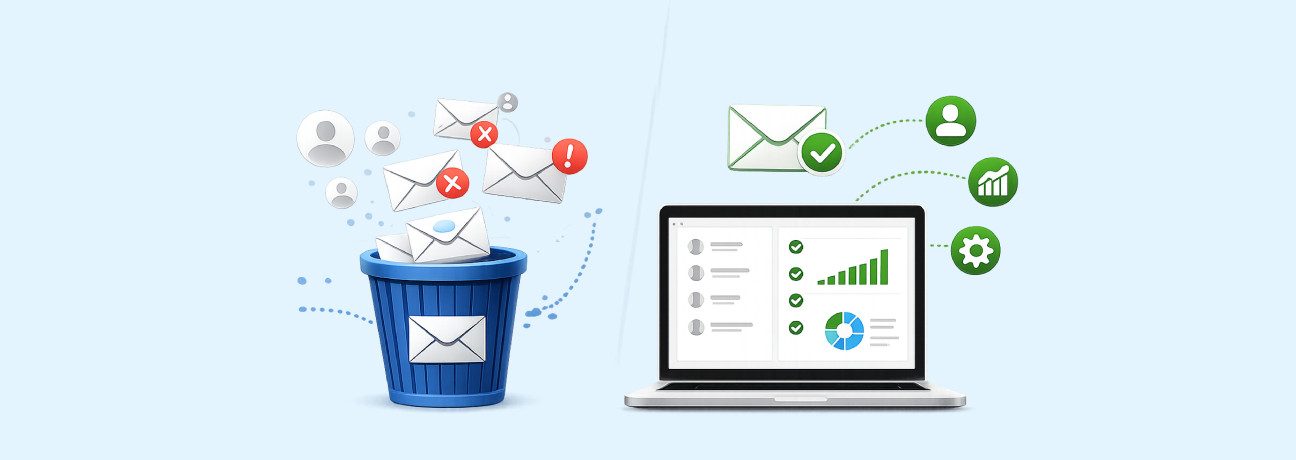
Terms like email list cleaning and email list management are often used interchangeably, but they serve different purposes. Email list cleaning focuses on removing invalid contacts to protect deliverability, while list management is about organizing, segmenting, and using your contacts effectively to drive engagement.
Both are essential, but they solve different problems. A clean list improves inbox placement, while proper list management ensures your emails reach the right audience with the right message.
For marketers, poor list quality and inadequate list management can significantly impact performance. Studies suggest that email lists naturally decay by around 22.5% each year, which not only increases bounce rates but also makes it harder to effectively target and engage the right audience, ultimately affecting overall campaign ROI.
In this blog, we’ll break down the difference and show how using both together can improve your overall email performance.
What Is Email List Cleaning?
Email list cleaning is the process of removing email addresses that can harm your email performance. This includes invalid email addresses, disposable emails, and addresses that no longer engage with your emails.
These email addresses often result from fake sign-ups, outdated information, or users who have simply stopped engaging with your emails. Keeping them in your list can increase bounce rate and affect your deliverability.
Cleaning your email list ensures that you’re sending emails only to valid email addresses, helping maintain better inbox placement and overall campaign performance.
Note: Senders with list hygiene scores above 95% achieved average inbox placement rates of 97%, while those below 85% saw only 76% inbox placement.
What Is Email List Management?
Email list management is the process of organizing and maintaining your email list to communicate with your audience more effectively. It focuses on how you structure your list to send relevant messages to the right group of subscribers.
This includes segmenting your list by user behavior or preferences, targeting specific groups with tailored campaigns, and using email automation tools to send triggered emails, such as welcome emails, follow-ups, or re-engagement campaigns.
A well-managed email list helps improve engagement, ensures your messages are more relevant, and makes your overall email strategy more effective.
What Is the Difference Between Email List Cleaning and List Management?
| Particulars | Email List Cleaning | Email List Management |
|---|---|---|
| Purpose | Removing invalid, disposable, or inactive email addresses | Segmenting lists, targeting users, and running campaigns |
| Goal | Improve deliverability | Improve engagement and conversions |
| Focus | List quality | Targeting and communication |
| When It’s Done | Periodically | Ongoing process |
| Impact | Reduces bounce rates and protects sender reputation | Improves open rates and campaign performance |
| Risk if Ignored | High bounce rates and spam issues | Low engagement and poor targeting |
| Tools to Use | Email verification tools (e.g., ExactVerify) | Email marketing platforms (e.g., automation & CRM tools) |
Advantages & Limitations of Email List Cleaning
To better understand the role of email list cleaning in your email marketing strategy, let’s examine both its advantages and its limitations.
Advantages of Email List Cleaning
- Improves email deliverability by ensuring messages reach valid inboxes instead of being filtered as spam.
- Protects sender reputation by reducing bounce rates, spam complaints, and negative engagement signals.
- Reduces marketing costs by eliminating invalid or inactive contacts that add no value to campaigns.
- Improves engagement rates by focusing campaigns on active and responsive subscribers.
Limitations of Email List Cleaning
- Reduces overall list size, which may impact reach and campaign visibility.
- Some contacts may be temporarily disengaged but still have future conversion potential.
- Identifying truly unresponsive users is difficult and may lead to premature removal.
- Early removal can limit opportunities for effective re-engagement campaigns.
With the right email verification tool and a consistent approach, you can overcome these limitations and clean your list with confidence without risking valuable leads or future conversions.
Advantages & Limitations of Email List Management
To understand how email list management contributes to your overall email marketing strategy, it’s important to evaluate both its benefits and its limitations.
Advantages of Email List Management
- Helps target the right audience with relevant messages, ensuring your campaigns reach users based on their behavior, interests, and intent.
- Improves engagement through segmentation and personalization, allowing you to deliver content that resonates with specific audience groups.
- Enhances campaign performance and conversions by aligning messaging with user lifecycle stages and engagement levels.
- Enables automation for consistent and timely communication, reducing manual effort while maintaining regular interaction with subscribers.
- Strengthens customer relationships over time by delivering meaningful and personalized experiences that build trust and loyalty.
Limitations of Email List Management
- Requires ongoing maintenance and resources, as keeping data accurate demands continuous monitoring, updates, and cleanup.
- Increases risk of compliance and reputation issues if emails are sent without proper consent or relevance.
- Poor targeting can lead to email fatigue, causing users to disengage, ignore messages, or unsubscribe entirely.
- Data decay reduces list effectiveness over time, making it harder to sustain engagement without regular updates.
Combining Email List Cleaning and Management for Maximum Impact
Email list cleaning and list management deliver the best results when integrated, working together as a continuous system that directly impacts overall email performance.
Every email list naturally decays as users change jobs, dormant email addresses go unused, or users stop engaging, email domains expire or are not renewed, inboxes become inactive or disabled, and email providers deactivate unused accounts. If this decline isn’t controlled through regular cleaning, campaigns begin to suffer, emails fail to reach inboxes, bounce rates increase, and sender reputation weakens.
However, maintaining a clean list alone is not sufficient. Without effective list management, even quality data can underperform. Sending the same message to your entire audience ignores differences in user behavior, intent, and lifecycle stage, leading to lower engagement and missed conversion opportunities.
The real impact comes from combining both approaches:
- List cleaning ensures your emails reach valid, deliverable inboxes.
- List management ensures those emails are relevant, targeted, and timely.
Together, these practices improve deliverability, increase engagement, and maximize the value of each email.
Best Practices for Email List Cleaning
Below are the key practices for maintaining an effective and clean email list:
1. Define a Consistent Cleaning Frequency
Don’t wait until your open rates drop before cleaning your list. Set a regular schedule, monthly or quarterly, depending on how often you email your subscribers. Keeping up with maintenance, including using a bulk email verifier, helps you catch deliverability problems early and keeps your emails in the main inbox.
2. Remove Invalid and Bounced Emails Promptly
If an email bounces back as "undeliverable," remove that contact from your list right away. Sending messages to invalid accounts signals to email providers that your list isn’t well managed, which can damage your reputation. Keeping your bounce rate low helps you avoid spam filters.
3. Filter Out Role-Based and Low-Intent Addresses
Addresses like support@ or info@ are usually managed by teams, not individuals. These catch-all inboxes rarely lead to real engagement and are more likely to mark your emails as spam. It’s better to focus on personal business emails where you can build real connections.
4. Handle Inactive Subscribers Systematically
A small, engaged list is better than a large one full of inactive subscribers. Send a quick “still interested?” email to check in, and review engagement signals such as open and click rate. If there’s no response, remove them from your active list. This keeps your engagement rates high and shows ISPs your emails are valuable.
5. Use Double Opt-In to Prevent Future Issues
The best way to keep your list clean is to ensure that only valid, interested users are added to your list. Require subscribers to confirm their email address through a double opt-in process. You can also use an email validation widget during signup to identify invalid email addresses. This helps filter out typos, bots, and low-quality signups. Taking this step saves time later and helps maintain a more reliable email list.
Best Practices for Email List Management
1. Segment Based on Intent and Behavior
Instead of just grouping people by job title, look at what they actually do with your emails. By segmenting based on specific clicks or content downloads, you can send follow-up messages that solve their immediate problems. This ensures your emails feel like a helpful resource tailored to their current interests.
2. Personalize Content for the Subscriber Journey
A brand-new lead needs a very different conversation than a loyal customer who has been with you for years. Management is about recognizing where someone stands in their relationship with your brand and adjusting your tone to match. This keeps your communication relevant and prevents people from hitting the "unsubscribe" button out of boredom.
3. Use a Preference Center to Give Users Control
Rather than making your emails "all or nothing," let your subscribers choose exactly which topics they want to hear about. Giving people the power to opt out of specific sequences while staying on your main list builds long-term trust and loyalty. This simple preference turns a generic list into a set of highly targeted groups who actually want what you’re sending.
4. Sync Email Data with Your CRM Tools
Effective list management requires seamless integration between your email platform and CRM tools, ensuring visibility into lead engagement and intent. When a subscriber clicks a high-intent link, such as a pricing page or case study, they should be automatically tagged for timely follow-up. This alignment ensures your email efforts directly contribute to pipeline growth and revenue outcomes.
5. Audit Your "From" Name and Sending Rhythm
Make sure your emails always come from a name your audience recognizes and trusts. Test whether a personal name or your brand name performs better, and keep your sending schedule consistent. A familiar sender and consistent timing help improve open rates and keep your audience engaged.
Bottom Line
Email list cleaning and list management deliver the best results when approached as an integrated, ongoing process rather than isolated activities. List cleaning ensures deliverability by maintaining a database of valid and reliable contacts, while effective list management ensures that communication remains relevant, targeted, and aligned with user behavior.
When executed together, this approach enables organizations to maintain a high-quality email ecosystem improving inbox placement, strengthening engagement metrics, and maximizing the overall return on email marketing efforts.
Frequently Asked Questions (FAQ) on Email List Cleaning and Management
1. How often should I clean my email list?
Email list cleaning should be done regularly, based on how often you send emails. For frequent senders, monthly cleaning helps maintain list quality, while quarterly cleaning may be sufficient for less frequent campaigns. Regular cleaning helps reduce bounce rates and maintain consistent deliverability.
2. Does email list cleaning improve email deliverability?
Yes, email list cleaning improves deliverability by removing invalid, disposable, and inactive email addresses. A cleaner list results in lower bounce rates, fewer spam complaints, and better engagement, which signals to inbox providers that your emails are relevant and trustworthy.
3. Can I manage my email list without cleaning it?
Email list management and cleaning serve different purposes. Management focuses on organizing and segmenting contacts, while cleaning removes invalid or risky addresses. Without cleaning, your list may become outdated, affecting engagement and deliverability.
4. What happens if I don’t clean my email list regularly?
If you don’t clean your email list, invalid and inactive addresses can accumulate. This leads to higher bounce rates, lower engagement, and an increased risk of emails being filtered into spam. Further, this can negatively impact your sender reputation.
5. What tools are used for email list cleaning?
Email list cleaning typically involves using an email verification tools or bulk email verifier.These tools help identify invalid, disposable, and risky email addresses before sending campaigns, allowing you to maintain a clean and reliable list.
6. Is email list cleaning the same as email validation?
Email list cleaning and email validation are closely related but not the same. Email validation checks whether an email address is valid, while cleaning involves removing invalid, inactive, or low-engagement contacts from your list. Validation is often a key step within the cleaning process.
7. Can list management tools replace email verification tools?
List management tools cannot fully replace email verification tools. While management tools help organize and segment contacts, verification tools focus on identifying invalid or risky email addresses. Both are needed to maintain a healthy and effective email list.
8. Is it safe to use purchased email lists if I clean them?
Using purchased email lists is generally not recommended, even after cleaning. These lists often include outdated or unverified contacts and may lack proper consent. This can lead to low engagement, spam complaints, and potential compliance issues.