When you publish a DMARC record for your domain, you have to decide what should happen to emails that fail authentication. Should receiving servers monitor them, send them to spam, or reject them?
That decision comes down to three DMARC policies: none, quarantine, and reject. Each provides a different level of enforcement, and choosing the right one depends on how well you understand your legitimate email sources and how ready your domain is for stricter enforcement.
In this guide, we’ll compare the three DMARC policies, explain how each one works, and show you when to use each option.
What Is a DMARC?
DMARC (Domain-based Message Authentication, Reporting, and Conformance) is an email authentication protocol that helps protect your domain from spoofing. It works with SPF and DKIM to determine whether an email is legitimately associated with your domain.
When a message fails DMARC authentication, the domain’s DMARC policy tells the receiving server whether to take no DMARC enforcement action, quarantine the message, or reject it. DMARC also provides reports that help domain owners identify authentication failures and unauthorized use of their domains.
How Does DMARC Work?
A DMARC check involves several steps, from publishing the policy in DNS to evaluating the message and applying the policy.
The domain owner publishes a DMARC record
The process begins when you publish a DMARC record as a TXT record in your domain’s DNS. This record contains your DMARC policy and can also specify where receiving servers should send DMARC reports.
The receiving server checks SPF and DKIM
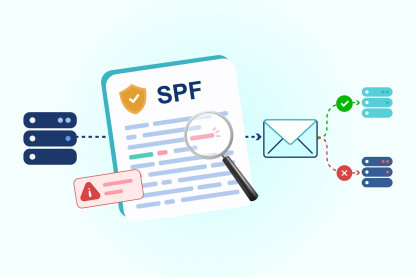
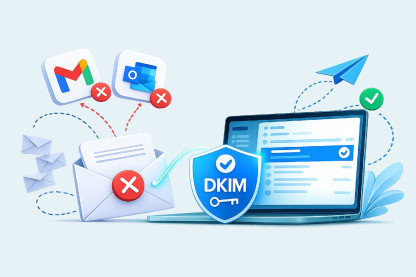
When an email arrives, the receiving server checks SPF and DKIM. SPF verifies whether the sending server is authorized to send email for the domain. DKIM verifies the digital signature attached to the message.
DMARC checks domain alignment
DMARC then matches the authenticated domain with the domain in the email’s “From” address. For an email to pass DMARC, either the SPF check or the DKIM check must pass, and the authenticated domain must be properly aligned with the “From” domain.
The receiving server applies the DMARC policy
If the email fails DMARC authentication, the receiving server follows the policy published in the domain’s DMARC record. The policy requests one of three actions: no DMARC enforcement, quarantine, or rejection.
DMARC reports show authentication activity
Receiving servers send DMARC reports to the reporting address specified in the domain’s DMARC record. These reports show authentication activity, including messages that passed or failed SPF, DKIM, and DMARC checks. They can also reveal sending sources that are using the domain.
DMARC Workflow
What Are the Three DMARC Policy Options?
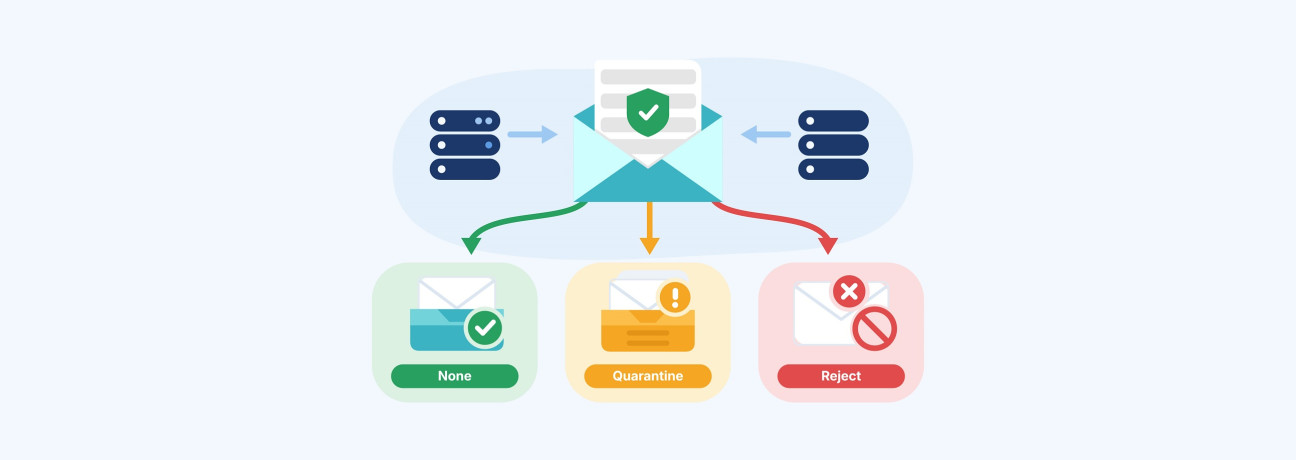
A DMARC policy tells receiving mail servers how to handle messages that fail DMARC authentication. There are three policy options: p=none, p=quarantine, and p=reject. Each provides a different level of enforcement.
p=none: Monitor without DMARC enforcement
When the p=none policy is applied, the domain requests no DMARC enforcement for messages that fail authentication. Receiving servers can still apply their own filtering based on other signals.
This policy is commonly used when DMARC is first implemented, as it allows you to review authentication activity and identify sending sources before introducing enforcement.
p=quarantine: Flag failing messages for further filtering
The p=quarantine policy tells receiving servers to treat messages that fail DMARC as suspicious. A receiving provider may place these messages in spam or junk instead of the inbox.
This policy introduces DMARC enforcement while leaving the final message handling to the receiving server.
p=reject: Reject messages that fail DMARC
The p=reject policy tells receiving servers to reject messages that fail DMARC authentication. These messages are generally prevented from being delivered to the recipient’s mailbox.
This is the strongest of the three DMARC policies and provides the highest level of enforcement against unauthorized messages using your domain.
Why Is Choosing the Right DMARC Policy Important?
Email-based attacks can have serious financial consequences for businesses. The FBI’s Internet Crime Complaint Center recorded more than $3 billion in reported losses from Business Email Compromise in 2025. BEC attacks commonly involve attackers impersonating trusted people, businesses, or email accounts.
DMARC gives domain owners a way to reduce the risk of their domains being used in unauthorized email. The policy you publish determines how receiving servers are instructed to handle messages that fail DMARC authentication.
DMARC is also part of the email authentication requirements set by major mailbox providers. For example, Google requires bulk senders that send 5,000 or more messages per day to personal Gmail accounts to publish a DMARC record. Google currently accepts p=none as a valid DMARC policy for bulk senders. This allows senders to set up DMARC and monitor emails that fail authentication without having those emails automatically quarantined or rejected.
Which DMARC Policy Should You Use for Your Domain?
The right policy depends on how established your DMARC setup is. A new implementation usually starts with monitoring, while a mature setup can move toward stronger enforcement.
Start with p=none when setting up DMARC
If you're setting up DMARC for the first time, p=none is usually a good place to start. It allows you to monitor your email traffic without asking receiving servers to quarantine or reject messages that fail DMARC.
DMARC reports can help you identify where your emails are coming from and whether those messages are passing authentication. For example, you may find that your marketing platform is sending emails on behalf of your domain, while your CRM is using a different sending source. The reports can also show which of these messages are passing or failing SPF and DKIM checks.
Once your legitimate sending sources are accounted for and authentication issues have been addressed, you can move to a stronger policy.
Move to p=quarantine for gradual enforcement
Move to p=quarantine when you have established which services are authorized to send email for your domain and have addressed the main authentication issues.
It gives receiving servers instructions to treat emails that fail DMARC as suspicious. Depending on the receiving provider, these messages may be placed in the spam or junk folder rather than the inbox.
This introduces enforcement while giving you an opportunity to observe how receiving providers handle messages that fail DMARC.
You do not have to use quarantine before reject. If your email sources are already well understood and properly authenticated, you may be able to move directly from p=none to p=reject.
Use p=reject for the strongest enforcement
Move to p=reject when your legitimate email sources consistently pass DMARC and you are confident that your domain is ready for full enforcement.
With p=reject, receiving servers are instructed to reject messages that fail DMARC. This helps prevent unauthorized messages from being delivered using your domain.
Before making the change, review every service that sends email on behalf of your domain. This includes marketing platforms , CRMs, support systems, transactional email services, and other third-party providers.
An overlooked legitimate sender can cause its messages to fail DMARC and face rejection under a strict policy.
Create Your DMARC Record With ExactVerify
Once you have chosen your DMARC policy, you need to create a correctly formatted TXT record and publish it in your domain’s DNS.
ExactVerify’s DMARC Record Generator helps you create the record without manually building the syntax. Enter your domain, select your policy, and configure optional settings such as reporting addresses, SPF and DKIM alignment, and policy percentage.